Orbis – Operation
29
4.5 How to Connect a Gooseneck Microphone to the Microphone Unit
There are various gooseneck microphones with LED
ring available for the connection to the microphone
unit.
• Take the gooseneck microphone by the shaft, put
it into the connection for gooseneck microphones
or and press the shaft downwards until it
locks in place.
• If you want to remove the gooseneck microphone,
press into the opening for unlocking the goose-
neck microphone or with the supplied tool
or a similar thin tool. Remove the gooseneck
microphone by taking it by the shaft and pulling.
4.6 How to Turn the Microphone on/off
Turning on
• The microphone is turned on by pressing the
microphone button or .
Depending on the operating mode the microphone
button or will illuminate green (“Normal”
operating mode) or red (“Request” operating
mode).
• When the microphone is active, the level of the
loudspeaker of the microphone unit will auto-
matically be reduced to avoid feedback.
Turning off
• When the microphone button or is pressed
once again, the participant can turn off the micro-
phone.
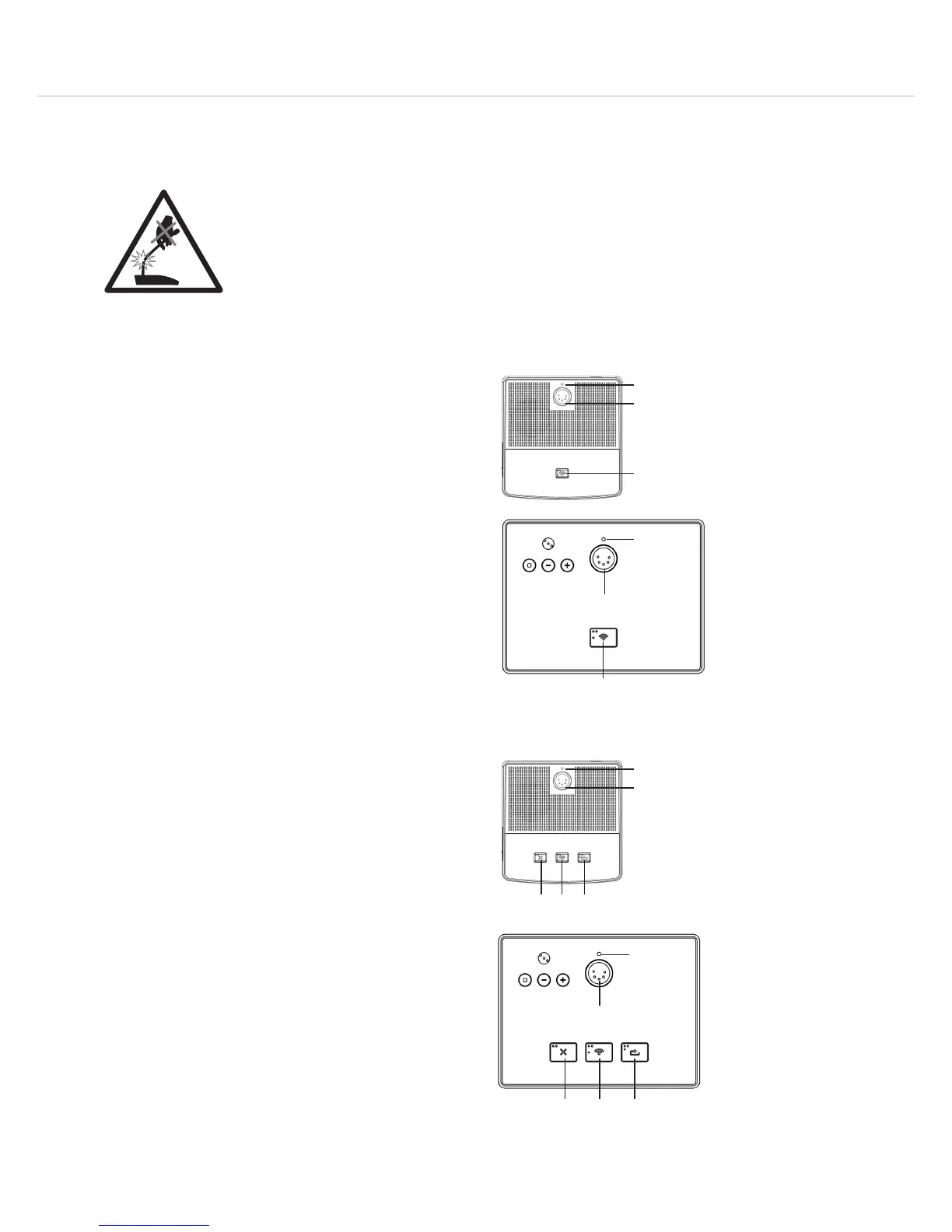
Top View Delegate Microphone Unit
Top View Chairman Microphone Unit
Warning!
– When mounting or removing the gooseneck microphone hold it at the bottom
end only. Never hold it at the gooseneck or microphone head! You could
damage the gooseneck microphone and by doing so you will invalidate the
guarantee.
– To align the gooseneck microphone and to avoid overstretching as well as
premature wear and tear, please note that the gooseneck must not be bent
further than an angle of 90° maximum.












 To Next Page