Orbis – Control Unit
7
2. Orbis CU Control Unit
The Orbis CU control unit is the heart of the system. With one Orbis CU control unit a maximum of
8 speakers (e.g. 7 delegates and 1 chairman) can speak simultaneously. Each chairman unit in the
system is allocated to a channel.
The Orbis CU control unit has been designed for installations on tables. With optional accessories it
can be installed in a 19" rack.
When setting up the system, please follow the safety instructions in chapter 1.
Furthermore, please note
• the ambient temperature of the installation site must not exceed 40 °C [104 °F].
• there must be no exceeding dust and humidity at the installation site.
• that the unit is not exposed to direct sunlight.
• the connection must be protected against direct access during operation.
• the installation site must be protected against vibrations.
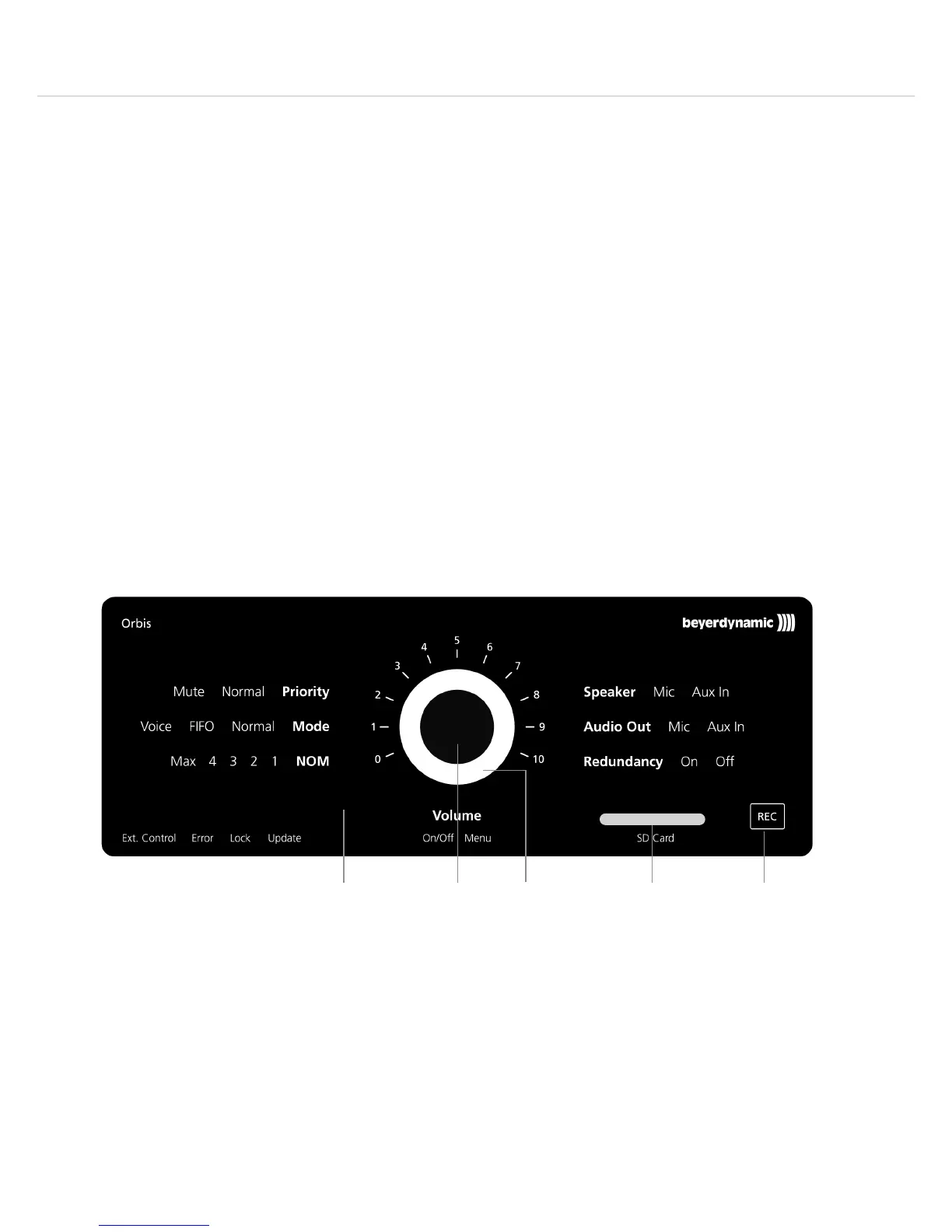
2.1 Controls and Indicators
Front View
Glass panel to display menu settings and status bar
Rotary encoder to select individual menus and to change settings
Corona
white = control unit active
flashing white = booting
red = control unit in standby mode
Slot for SD card
“REC” touch button for recording and other functions












 To Next Page