Orbis – Operation
28
4.4 Recording of the Conference
With the Orbis conference system you can record a conference. Via an external device connected to
the RS 232 interface you can set the integrated clock so that you can enter the date and time on the
SD card. The recording is saved in the *.wav format (uncompressed, 16 Bit, 32 kHz).
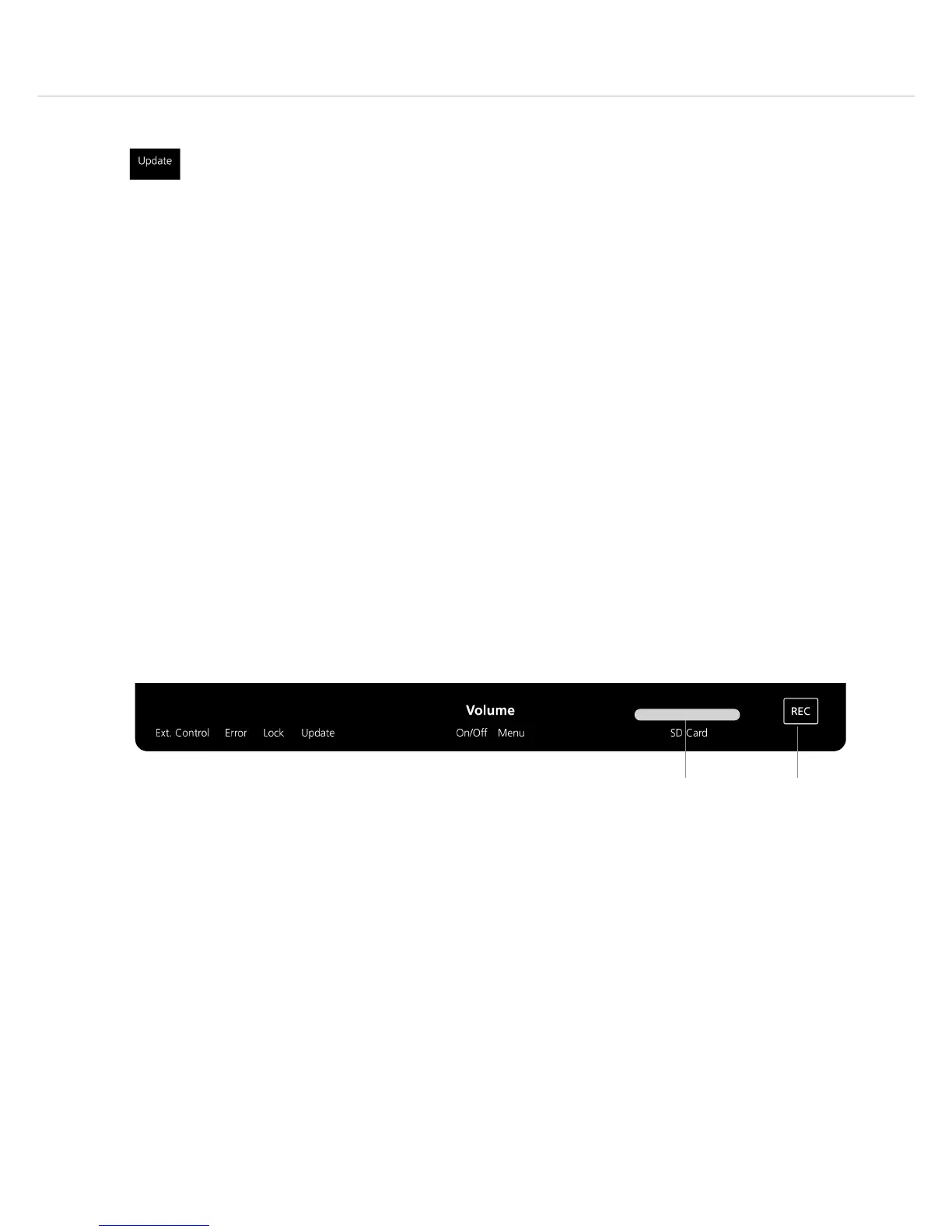
• Insert an SD card into the slot . The “REC” button will illuminate white.
• To start the recording press the “REC” button . The “REC” button will illuminate red.
• The recording time depends on the storage capacity of the SD card: 1 GB = approx. 4 hours.
• A file has a maximum size of 2 GB. When the recording is longer, a new file will automatically be
produced.
• When the recording time of the SD card is less than 30 minutes, the “REC” button will illuminate
red.
• When the SD card is full, the “REC” button will flash white.
Important: The SD card must comply with class 10 (we recommend “SanDisk
®
”), maximum size 32 GB,
FAT32-formatted.
Update
An update of all components (control unit and microphone units) can be performed via an SD card or
the RS 232 interface, if the firmware version on the SD card does not correspond the the device in
question.
• Insert an SD card into the slot .
• The “Update” and “Lock” displays will illuminate white, all other menu items will be hidden and
deactivated.
• Press briefly the rotary encoder to start the update. The corona will act as activity display and
the “Volume” display serves as percentage display, i.e. 1 = 10%, 2 = 20 % and so on. The micro-
phone button on the microphone units is flashing red and green. After a restart of the system the
SD card can be removed.
• If you do not want to perform an update, please remove the SD card.
• During an update the “Update” display will illuminate white and the “REC” button red.
Another possibility is to perform an update via an external device connected to the RS 232 interface.
The status is also shown via the above mentioned displays, except the “REC” button, because here
the SD card is not accessed.












 To Next Page