12/18 Fir eps
Removing Comply™ eaips
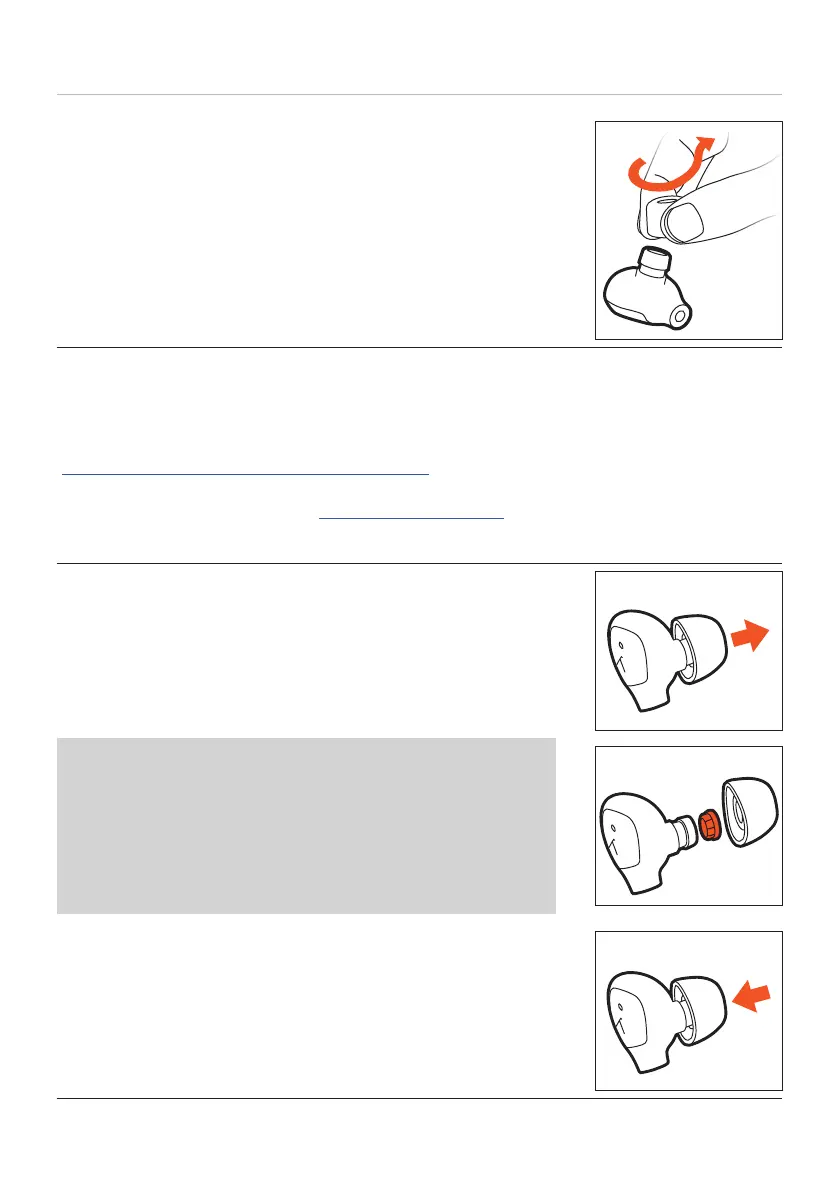
► To remove Comply™ eaips, squeeze them firmly and
pull them o the housing with a slight twiing motion.
Replacing eaips
If you are using them regularly, we recommend changing the eaips every three months.
Replacement silicone eaips can be ordered from the beyerdynamic spare pas shop:
www.beyerdynamic.com/service/spare-pas
Replacement Comply™ foam eaips, together with dealers where you can order the
eaips, can be found online at: www.complyfoam.com
Eaip types used: Tx-500
1. Carefully remove the eaip from the earphone.
Diy sound outlets can be cleaned by replacing the small
wax guard grilles.
► Use the enclosed microfibre cleaning cloth to clean the
earphone’s sound outlet of residues.
► Make sure that no liquid flows into the outlet.
2. Put the new eaip on the earphone.















 To Next Page