15/18Operation
English
OPERATION
Remote control
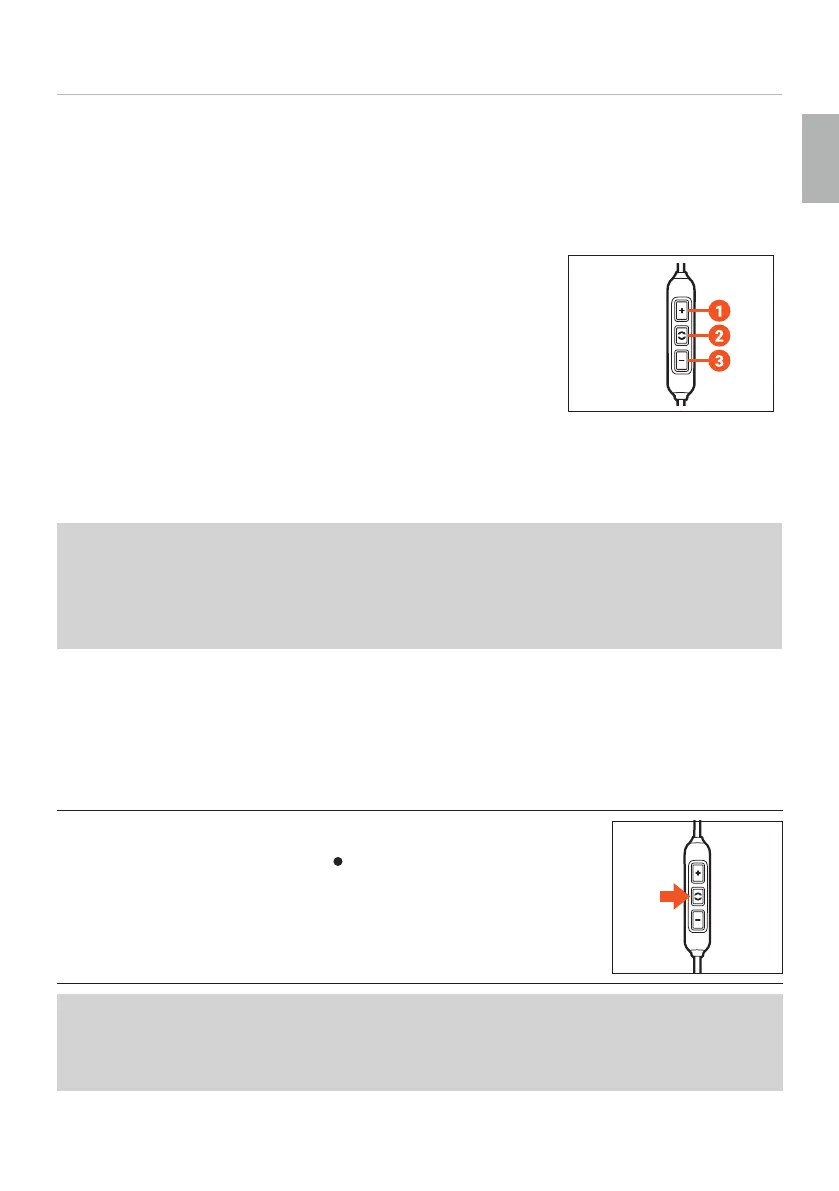
The enclosed connecting cable with the jack plug (cable for remote operation) contains a
remote control with three buttons and a microphone.
Buttons on the remote control
1. Increase volume (volume-up button)
2. Multifunction button (middle button)
3. Decrease volume (volume-down button)
Compatibility with playback devices
On compatible smaphones and tablets, you can use this remote control to control calls,
media playback and volume.
Please note that not every playback device suppos all remote control functions.
This requires the pin assignment on the headphone jack to correspond to the CTIA
andard.
Only in this case are the functions described below possible.
The symmetrical Pentaconn cable can only be used with compatible playback devices.
► Please contact the relevant manufacturer for fuher details.
► Refer to the operating inructions of the device to which the product is to be
connected.
Playing media
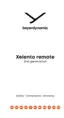
To a / pause playback:
► Briefly press the middle button (
) to a or op the media
playback.
Depending on the playback device and the operating syem and/or firmware version,
there may be fuher media playback functions that can be controlled by the middle
button.
Please contact the relevant manufacturer for fuher details.















 To Next Page