English
7
28
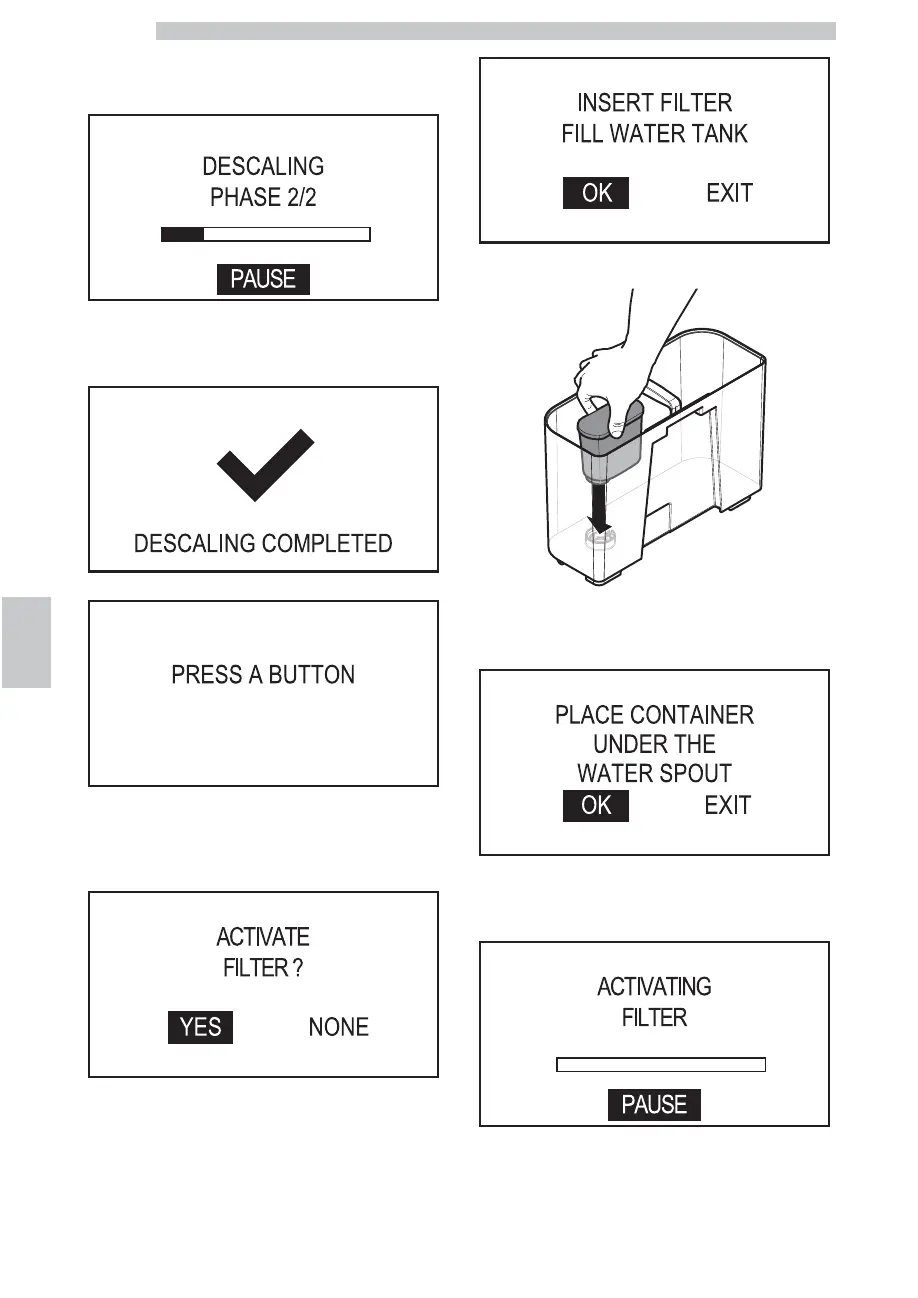
Place a large container under the dispensing spouts (hot
water, coffee and cappuccino). Press the "OK" button. The
following screen is displayed:
Press the “OK” button to pause the operation. Press the
“OK” button again to resume the operation. Once the
operation is complete the following screen is displayed:
The following screen is displayed:
In case machine descaling is not necessary or when
replacing one of the 8 filters, the activation procedure
starts from this point.
Select "YES" and press the "OK" button. The following
screen is displayed:
Put the filter into the empty tank. Press it to its limit stop.
Fill the water tank again up to the MAX level with fresh
drinking water. Select "OK" and press the "OK" button.
The following screen is displayed:
Place a container under the hot water dispensing spout.
Select "OK" and press the "OK" button. The filter
activates. The following screen is displayed:


 To Next Page