
 Need help?
Do you have a question about the BIGTREETECH SKR mini V1.1 and is the answer not in the manual?
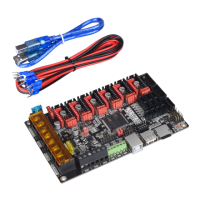
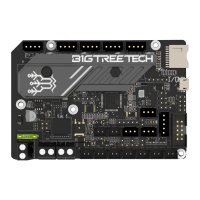
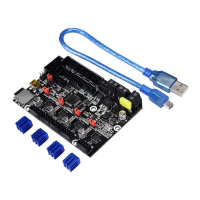
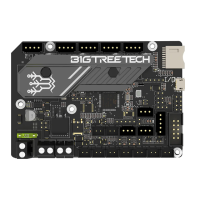
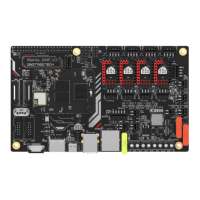
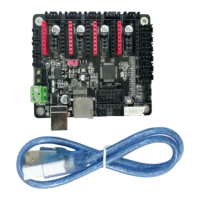
The BIGTREETECH SKR mini V1.1 is a cost-effective 3D printer motherboard designed for small printers. It features an ARM Cortex-M3 series STM32F103RCT6 chip with a 32-bit CPU running at 72MHz.
The SKR mini V1.1 serves as the central control unit for 3D printers. It is equipped with highly modular open-source firmware, Marlin2.0, which facilitates DIY projects and secondary development without the need to worry about core code. The board supports powerful development tools like Visual Studio Code, offering an integrated development environment for online debugging, product development, and performance optimization using C language. This lowers the development threshold for users. The PCB board wiring is meticulously designed for aesthetics and optimized for heat dissipation. It utilizes a dedicated power chip, supporting a 12-24V power input. When accepting 24V input, it reduces the hot bed current to 1/4 at the same power, effectively addressing the common issue of hot bed MOS tube heating. The system supports multiple display options, including 2.8-inch and 3.5-inch color touch screens, and LCD2004. An LCD12864 screen interface is also reserved for firmware debugging. The system supports simplified Chinese, English, and other languages, which can be switched by the user. Firmware upgrades are conveniently performed via an SD card. A key feature is the ability to set the driving current mode through firmware, eliminating the need for manual current adjustment and preventing burnout of the drivers, ensuring convenience, safety, and reliability. The motherboard also supports advanced functions such as printing after power failure, broken material detection, and automatic power-off after printing completion.
Upon powering on the SKR motherboard, a red light in the lower left corner indicates normal power supply. The DC SEL in the middle of the board acts as the power selector. When powering the motherboard via USB, the +5V and USB pins must be connected with a short-circuit cap. For 12V-24V power supply, the +5V and INT pins should be connected with a short-circuit cap. It is possible to connect both 12V-24V power supply and USB simultaneously, but for the printing process, the +5V and INT pins must be connected with the short-circuit cap. The motherboard connects to a PC via the USB interface and requires a specific driver (mapleDrv) which can be downloaded from the BIGTREETECH GitHub repository.
The factory-installed motherboard comes with firmware for testing (I3 model), which can be used directly or modified as needed. Firmware can be acquired from customer service, technical staff, or downloaded from the official open-source website (https://github.com/bigtreetech). To update the firmware, users must copy the firmware.bin file (in lowercase) to the root directory of an SD card. After inserting the SD card into the motherboard's slot, power it on again or press the reset button. The update process takes approximately 10 seconds.
 General
| Brand | BIGTREETECH |
|---|---|
| Model | SKR mini V1.1 |
| Category | Motherboard |
| Language | English |

 To Next Page