3.3 Internet Access Conguration
To congure this device for internet access, you must have IE 5.0 / Netscape 4.5 or above
installed on your computer. There is basically one way to congure your device before you are
able to connect to the internet: Web Interface. Conguration of this method will be discussed in
detail in the following section.
3.3.1 Conguring with your Web Browser
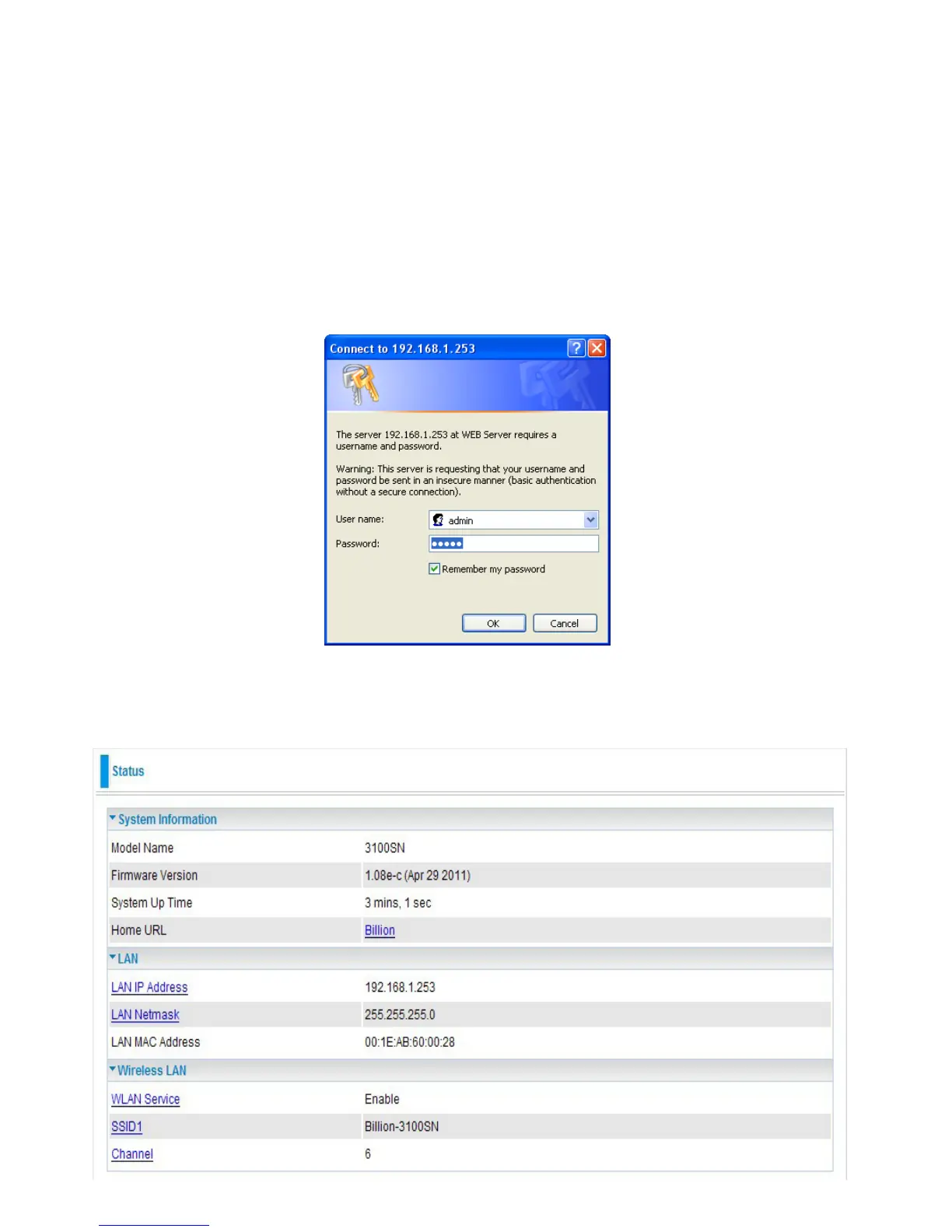
Open your web browser, enter the IP address of your Ethernet Adapter which the default is
192.168.1.253, and click “Go”. A user name and password window prompt will appear. The default
username and password are “admin” and “admin”.
Congratulations! You are now successfully logon to the Wireless-N Ethernet Access Point!
If the authentication succeeds, the homepage will appear on the screen.
20


 To Next Page