22
4.1 Status
4.1.1 Status
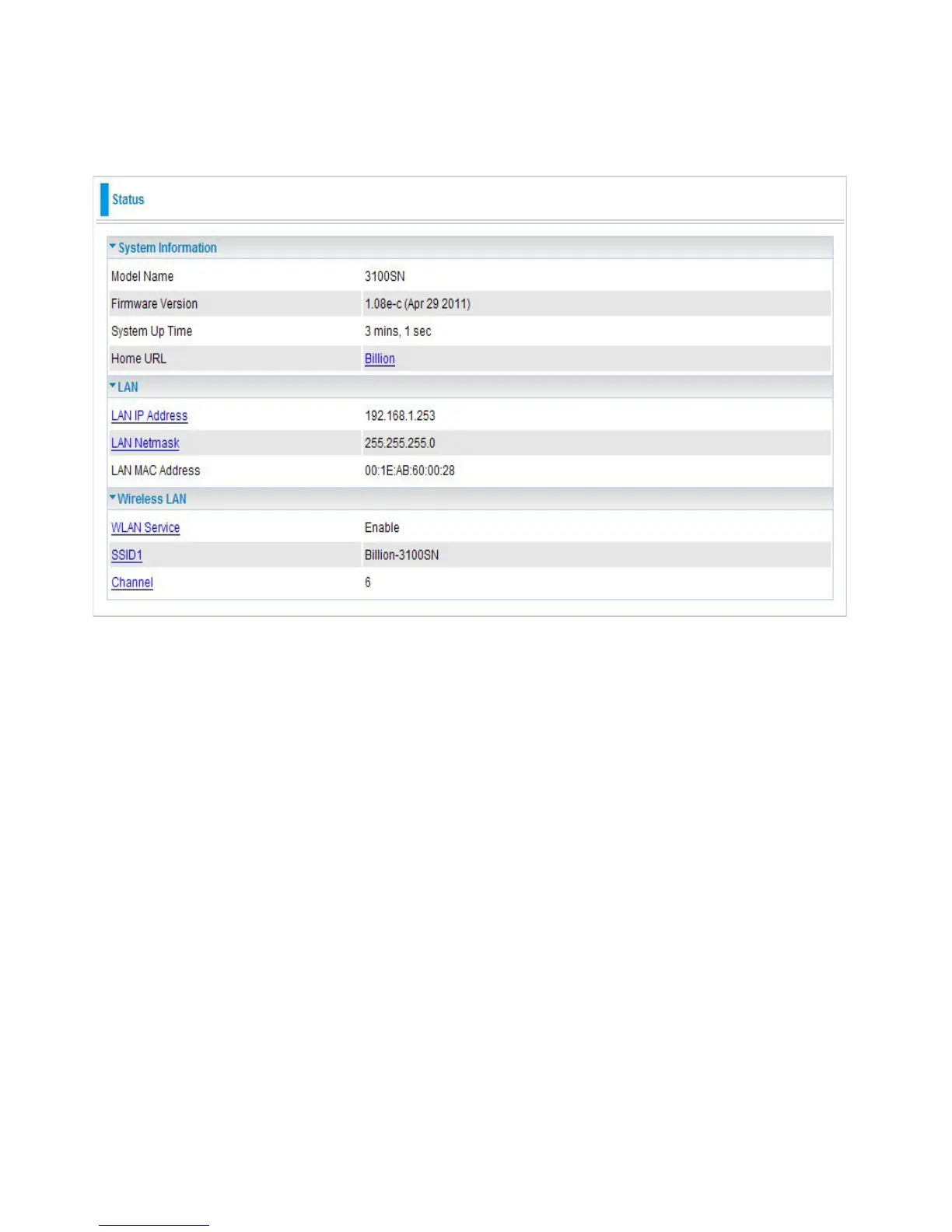
● System Information
Model Name: Displays the model name.
Firmware Version: Displays the rmware version for this device.
System Up Time: Records system up-time.
Home URL: Displays the Internet address for vendor. Click to open the home page of Billion website.
● LAN
LAN IP Address: The current IP on this device.
LAN Netmask: The current subnet mask on this device.
Note: Click the LAN IP Address or LAN Netmask link to change the settings .
LAN MAC Address: The MAC address of the device.
● Wireless LAN
WLAN Service: Status of the WLAN connection.
SSID1: A unique name used to identify the wireless LAN to which a user wants to connect.
Channel: The current status in WAN interface.
Note: Click the WLAN Service, SSID or Channel link to change the settings.


 To Next Page