26
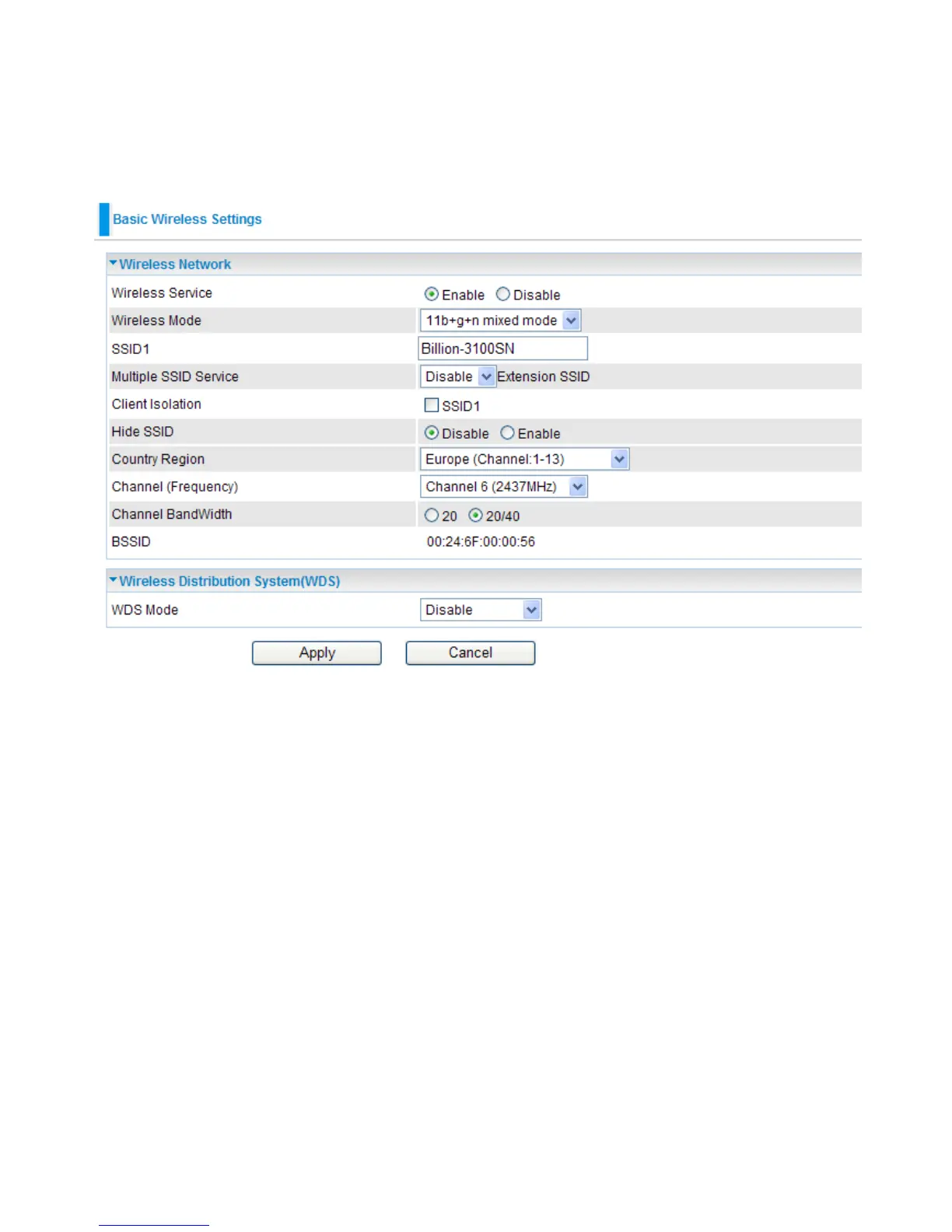
4.3.1 Basic-Basic Wireless Settings
Wireless Network
● Wireless Service: Default setting is Enable. If you do not have any wireless, select Disable.
● Wireless Mode: The default setting is 11b+g+n mixed mode. You can adjust the wireless mode
depend on your system or enviornment.
● SSID1: The SSID is the unique name of a wireless access point (AP) used to distinguish one
from another. For the security purpose, you should change the default SSID to a unique ID name
that is difcult to guess. Make sure your wireless clients exactly have the SSID as the device in
order to connect to your network.
Note: It is case sensitive and can be up to 32 characters.


 To Next Page