41
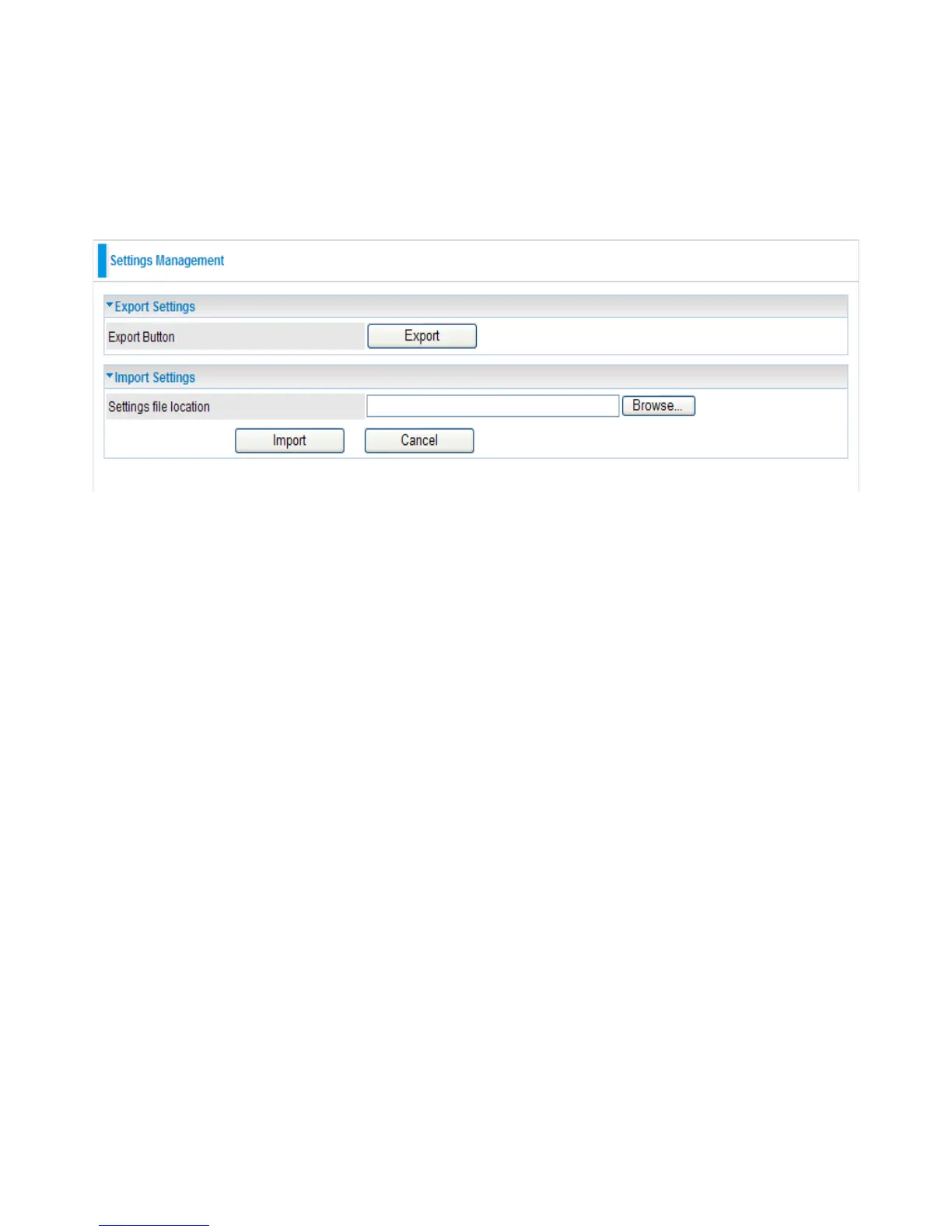
4.4.3 Settings Management
These functions allow you to save a backup of the current conguration of your device to a
dened location on your PC, to restore a previously saved conguration, and to restart your device
with the factory default settings. This is useful if you wish to experiment with different settings,
knowing that you have a backup in hand in case any mistakes occur.
Export Settings
● Export Button: Click Export to open or save the backup le. Then, select the location to store
the setting le on your PC. You may also change the name of the le if you wish to keep multiple
backups.
Note: It is advisable that you should backup your device conguration before making any
changes to your device conguration.
Import Settings
● Settings le location: Click Browse to select a le from your PC to restore. You should only
restore your device setting that has been generated by the Backup function which is created with
the current version of the device rmware. Settings les saved to your PC should not be manually
edited in any way.
● Select the settings les you wish to use, and press Import to load the setting into the device.


 To Next Page