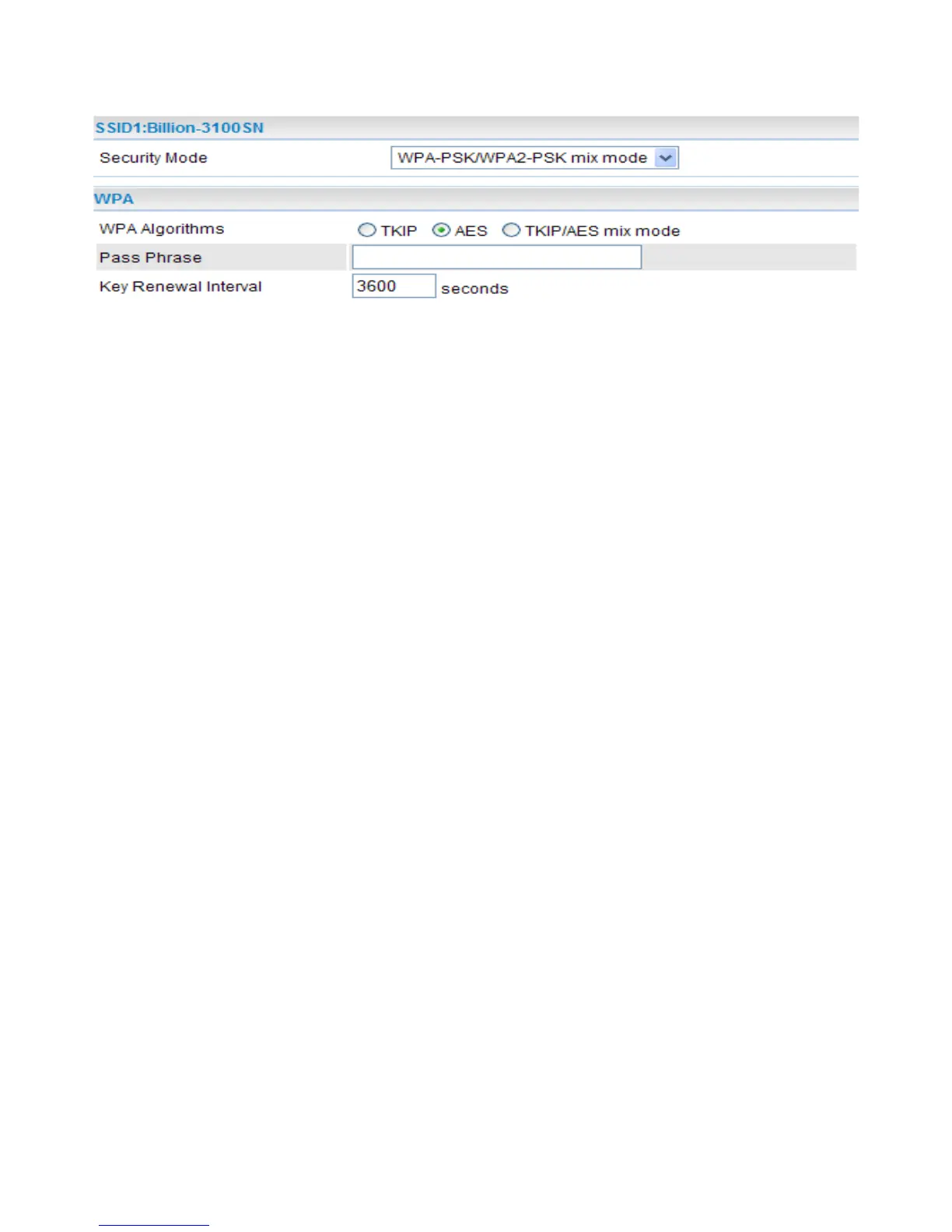
WPA-PSK / WPA2-PSK / WPA-PSK/WPA2-PSK mix mode
WPA
● Security Mode: Select WPA-PSK, WPA2-PSK or WPA-PSK/WPA2-PSK mix mode from the
drop-down menu. The encryption key should be entered in PSK (Pre-Shared Key)
● WPA Algorithms: There are 3 types of the TKIP, AES & TKIP/AES mix mode (not available in
WPA-PSK mode).
● TKIP / AES: Enter the encryption key (8~63 ASCII characters or 64 Hex characters).
● Pass Phrase: Enter a pass phrase to access the network. It can be a password like “12345678”
or a pass phrase, from 8 to 63 case-sensitive characters.
● Key Renewal Interval: The period of renewal time (in seconds) for changing the security key
automatically between wireless client and Access Point (AP). Default value is 3600 seconds.
33


 To Next Page