GENERAL INFORMATION 67
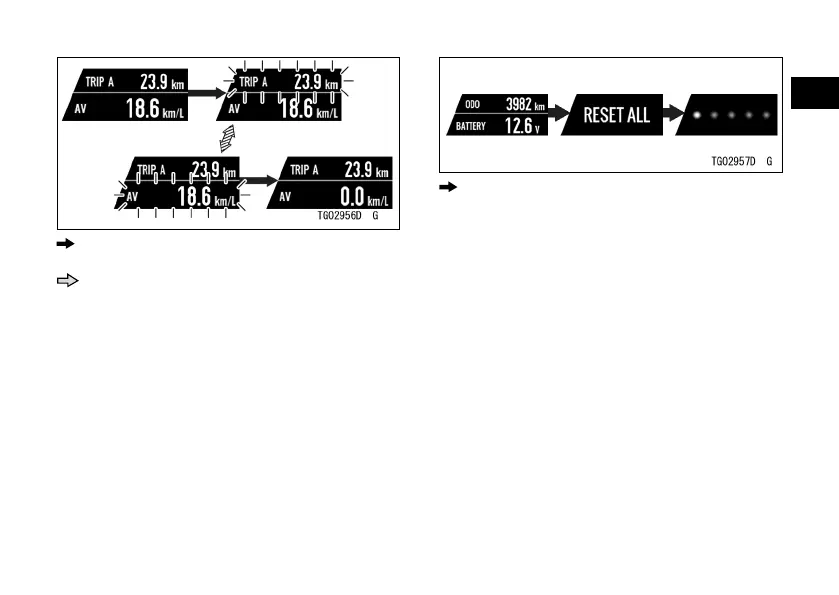
: Flow when pushing and holding RESET
button
: Flow when pushing RESET button
When no resettable item is shown:
ÿ Push the RESET button and hold it.
“RESET ALL” appears.
ÿ “RESET ALL” means all resettable
items will be reset. Push the RESET
button and hold it until resetting is
done.
: Flow when pushing and holding RESET
button
NOTE
æ If the ignition switch is turned o
during resetting, the reset is not
carried out.
To Reset Using Meter Buttons
ÿ Display the resettable item on the
multifunction display.
ÿ Push the left or right meter button
and hold it until resetting is done.


 To Next Page