68 GENERAL INFORMATION
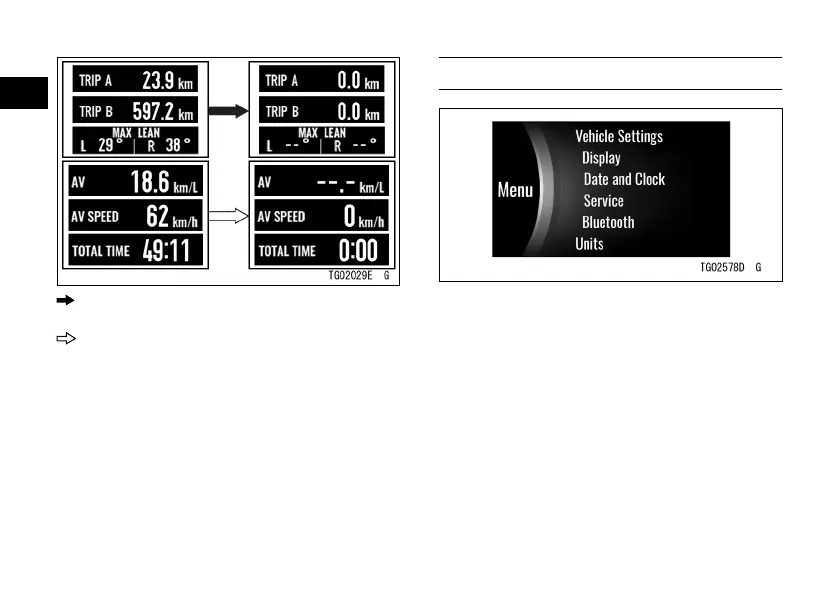
: Flow when pushing and holding the left
meter button
: Flow when pushing and holding the right
meter button
Menu Mode
The menu mode can set various
functions of the vehicle.
NOTE
æ When the vehicle speed exceeds
5 km/h (3 mph), the menu mode
cannot be displayed.
How to Enter/Exit Menu Mode
ÿ Push and hold the SELECT button
to enter.
ÿ Push the RESET button to exit.


 To Next Page