72 GENERAL INFORMATION
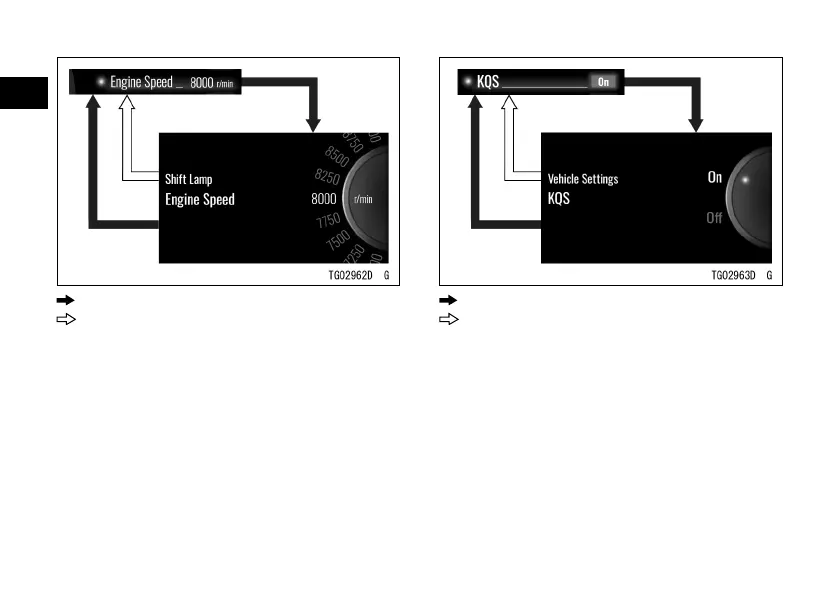
: Flow when pushing SELECT button
: Flow when pushing RESET button
KQS
ÿ This switches the KQS (Bimota
Quick Shift) on or o.
ÿ Highlight “KQS” using the upper or
lower MODE button.
ÿ Push the SELECT button to shift to
the next screen.
ÿ Choose on or o using the upper or
lower MODE button.
ÿ Push the SELECT or RESET button.
: Flow when pushing SELECT button
: Flow when pushing RESET button
NOTE
æ Refer to the Bimota Quick Shift (KQS)
section in the HOW TO RIDE THE
MOTORCYCLE chapter for details of
KQS.
Immobilizer Lamp
This switches the immobilizer
warning indicator blinking mode on or
o.


 To Next Page