GENERAL INFORMATION 73
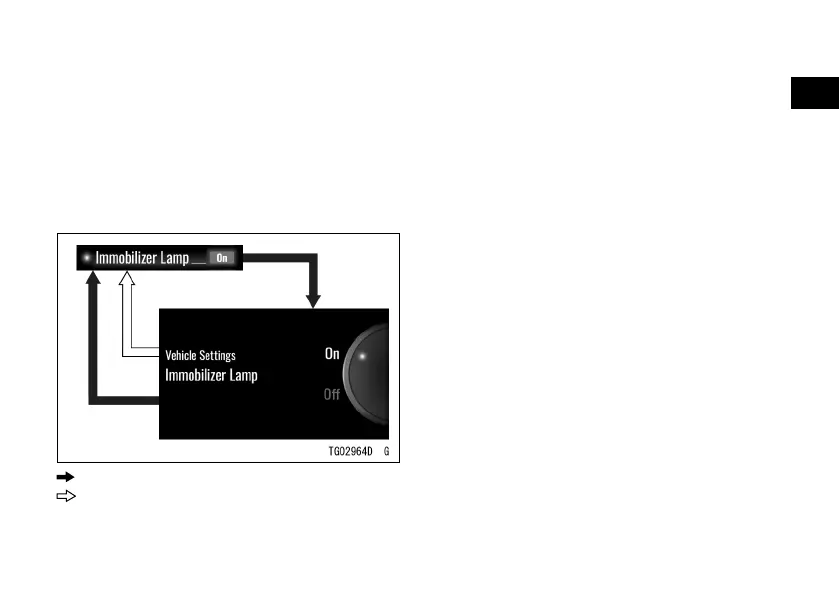
ÿ Highlight “Immobilizer Lamp” using
ÿ the upper or lower MODE button.
ÿ Push the SELECT button to shift to
the next screen.
ÿ Choose on or o using the upper or
lower MODE button.
ÿ Push the SELECT or RESET button.
: Flow when pushing SELECT button
: Flow when pushing RESET button
NOTE
æ Refer to the Indicators section for
details of the immobilizer warning
indicator blinking mode.
RIDER Mode
This switches the RIDER mode on or
o.
ÿ Highlight “RIDER Mode” using the
upper or lower MODE button.
ÿ Push the SELECT button to shift to
the next screen.
ÿ Choose on or o using the upper or
lower MODE button.
ÿ Push the SELECT or RESET button.


 To Next Page