84 GENERAL INFORMATION
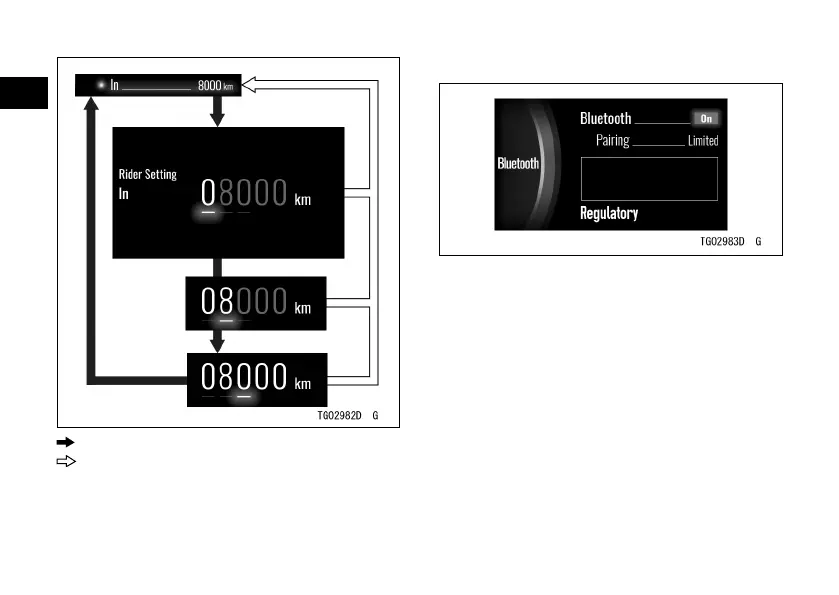
: Flow when pushing SELECT button
: Flow when pushing RESET button
Bluetooth
®
Bluetooth: Turn Bluetooth wireless technology
on or o
Pairing: Switch pairing mode of Blue-
tooth
Regulatory: Display the acquired certi-
cation mark
NOTE
æ To use the Bluetooth function,
“RIDEOLOGY THE APP” is
necessary.


 To Next Page