To register a
new handset
to your base
unit
The handset(s) supplied with your base unit should not
need to be registered; only additional ones you have
bought separately.
Each handset can be registered to up to four base units,
numbered 1 to 4.
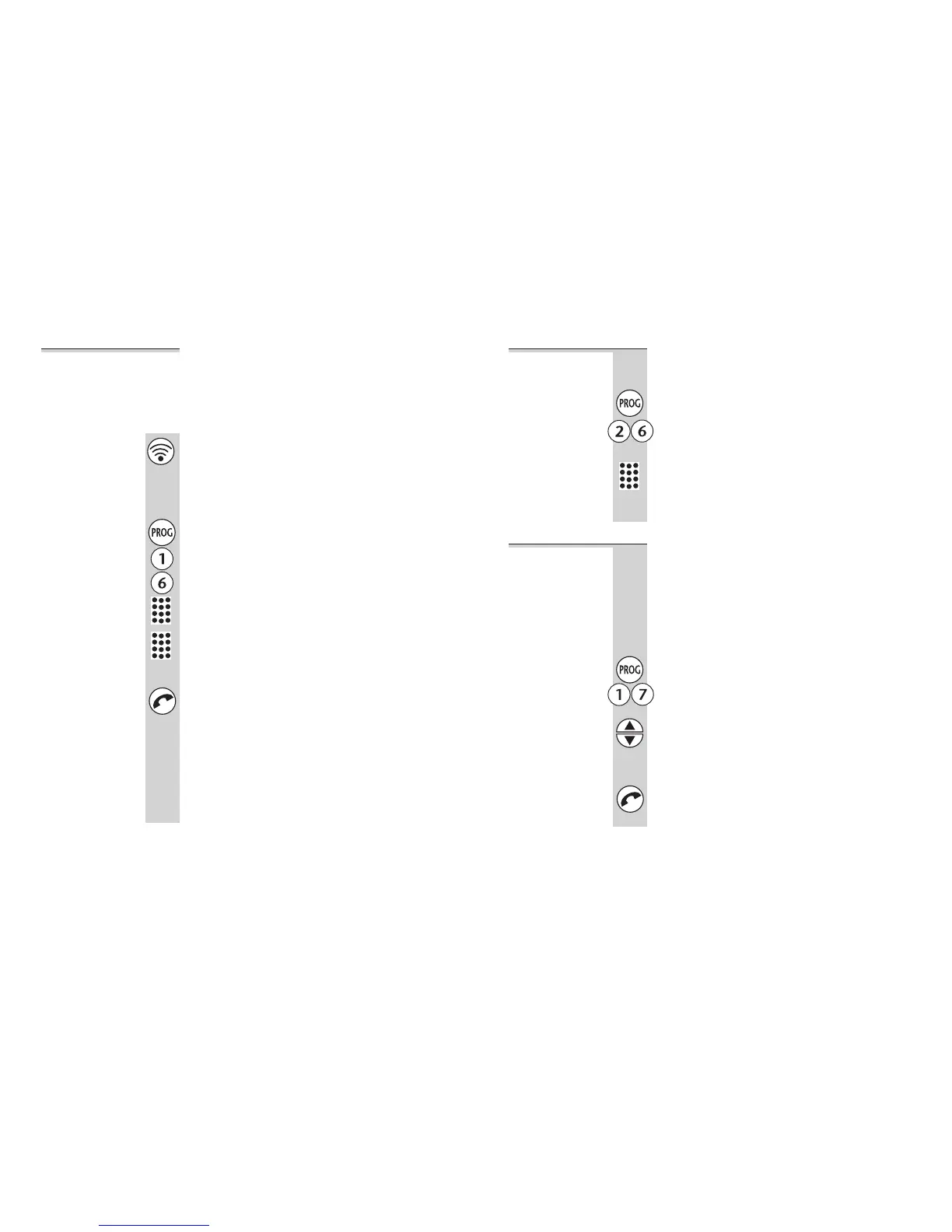
1 Press and hold the HANDSET LOCATOR
button on the base unit until you hear
Registration tone (slow ‘beeps’)
You now have 30 seconds in which to register
the handset.
2 On the handset, press the PROG button
then key in 1 6 followed by the base unit
number
If this is the first base unit you’re registering to,
its number is 1.
3 Key in the base unit’s PIN code
If you have not set a base unit PIN as described
on page 27, the default PIN is 0000.
4 Press the PHONE button
The display shows the handset numbers which
are still free on the base unit.
5 (Optional) Key in a handset number
If you don’t key in a number at this point, the
handset will be registered with the lowest free
number.
The handset beeps to confirm registration.
Using a multi-handset system
20
To de-register
a handset
You may need to do this in order to replace a
faulty handset.
1 Press the PROG button then 2 6
The display shows the numbers of all handset
registered to the base unit.
2 Key in the number of the handset to be
de-registered
The display flashes, and the handset is
de-registered.
To select a
base unit
If your handset is registered to more than one
base unit, it will automatically select the one
with which it can best set up a radio link
(usually the nearest one). Or you can select a
base unit manually.
You don’t need this function if you have only
one base unit.
1 Press the PROG button then 1 7
2 Use the ▲ or ▼ buttons to select a base unit
Base units are numbered 1 to 4. If you select 0,
your handset will automatically select the base
unit that gives the strongest connection.
3 Press the PHONE button to confirm
Using a multi-handset system
Binatone Help Line: 01325 304 473 21












 To Next Page