Service documentation series KB/KBF
BB / JTU 25.06.2000
Retrofitting of a RS232 interface card on SM humidity controller with KBF
series up to 9/1997
To enable communication between APT-COM or a other data acquisition system with a SM humidity
controller of elder KBF climatic chambers it is necessary to retrofit a interface card inside the
controller.
Following steps have to be carried out:
A) Plug in the interface card inside the controller
B) place a rectangle hole for the interface socket trough the rear wall directly beside the interface
socket which already exists for the RD2 temperature controller
C) connect the interface wire (with soldered female 25 pin SUB-D interface socket) with the controller
D) Enter the correct parameters on the controller
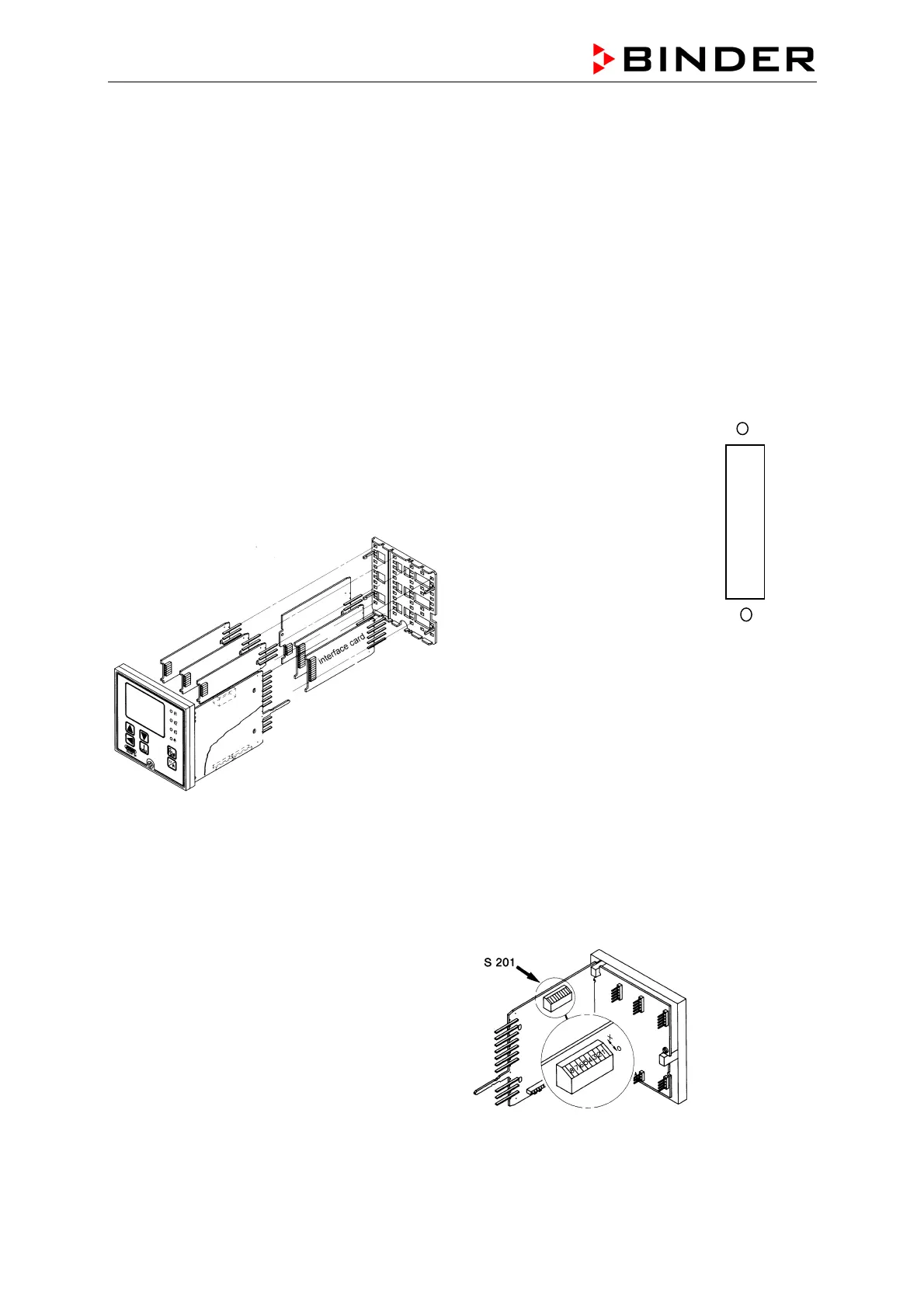
A) Unscrew the controller with the screw at its
front panel to pull it out of its frame. Insert the
interface card BINDER Part. No. 5014-0036 to
this position:
SM humidity controller for KBF until September
1997
B) place a rectangle hole (size
42 X 11 mm) for the interface
socket trough the rear wall
directly beside the interface
socket which already exists for
the RD2 temperature controller
C)Insert the interface cable BINDER part No.
5023-0007 and fasten its socket in the hole.
Connect the cable to following connectors of the
SM controller:
RxD No . 91 ------- 2
TxD No- 93 ------- 3
GND No. 90 ------7
Bridged at the connector side: 4+5 and 6+8+20
D) Some controller parameters have to be
adjusted.
To enter the parameter level you have to unlock
the controller parameter level at first. DIP-switch
S201 No. 2 (of the switch block located next to the
front panel) to OFF (= downwards).
Normal status for comparison is only 1 and 5 off.









 To Next Page