7
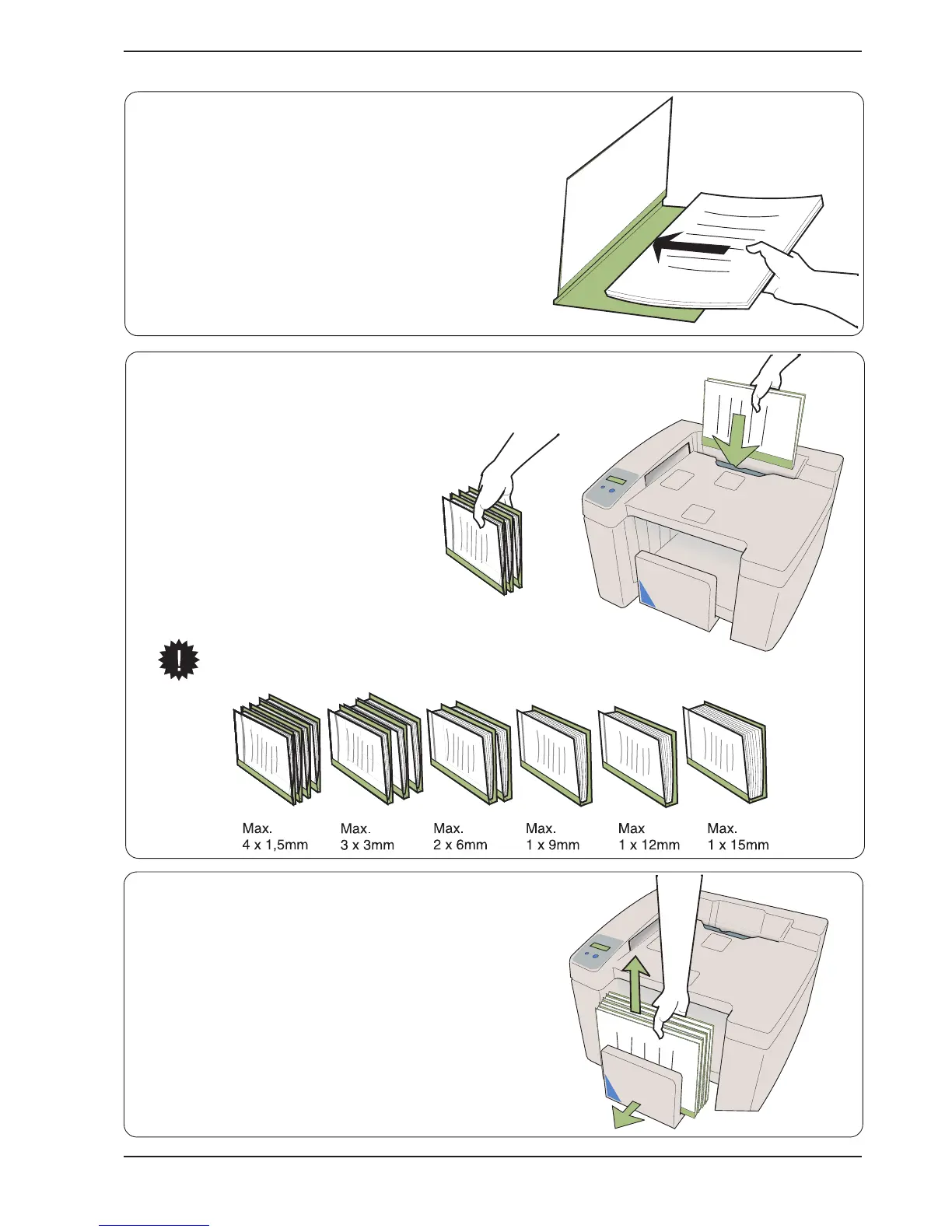
5. Documents (cover and set) can
always
be put into
the machine for binding when the green
lamp is on. Documents can be put in
one by one or in batches.
The machine confirms that a document
has been put in with an audible signal.
As soon as the green lamp lights again,
the next document or batch can be put
in. The machine starts heating up the
binder unit at the same time. Heating
remains on until the machine switches
to the energy-saving mode. See also
chapter 5 “User settings”.
When a batch of documents is put into the
machine, the number of documents in the
batch should be limited as shown below.
6. Remove the finished documents from the output tray.
The processing time is approx. 2 minutes for the first
document. The time for the second and subsequent
documents is only about 10 seconds. Allow the
documents to cool for a while before using them.
The machine automatically switches to the energy-
saving mode after a preset time (4 h). Alternatively, a
time of 15 minutes can be selected as described in
chapter 5 “User settings”.
4. Put the set into the selected cover.


 To Next Page