6
4. How to use the Bindomatic 101 DFS
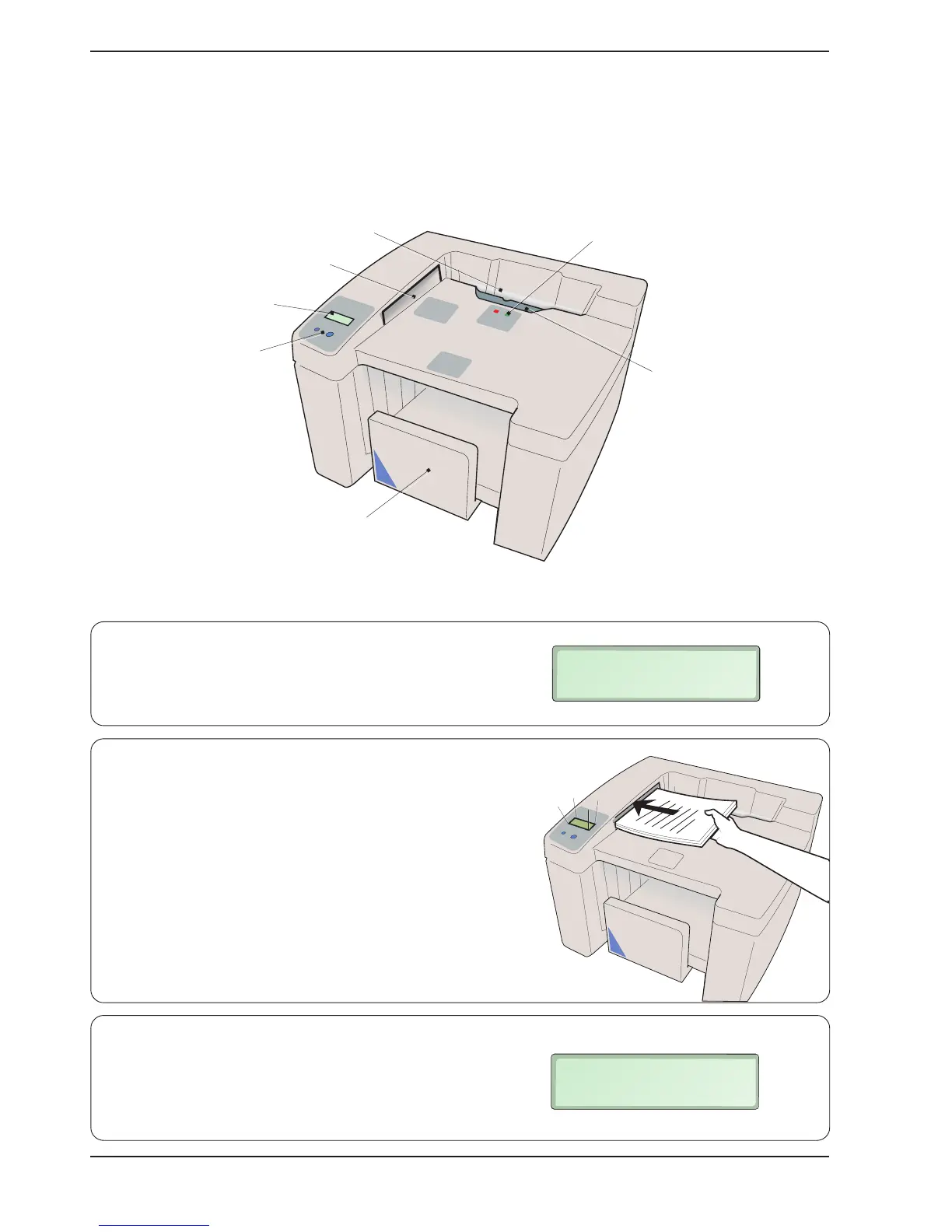
These are the most important parts of the machine that you should be acquainted with.
1. The display asks you to measure the thickness of the
set.
2. Measure the thickness of the set of papers to be
bound by inserting the short side of the set into the
cover selector.
3. The recommended cover size (spine width) is
shown on the display.
Input bay
Cover selector
Display
Control buttons
Indicator lamps
Output tray
Jam clearance door
MEASURE DOCUMENT
SEE PICTURE 1
USE COVER 1,5mm
SEE PICTURE 2


 To Next Page