9
5.2 How to select the time before the machine switches to the energy-
saving mode.
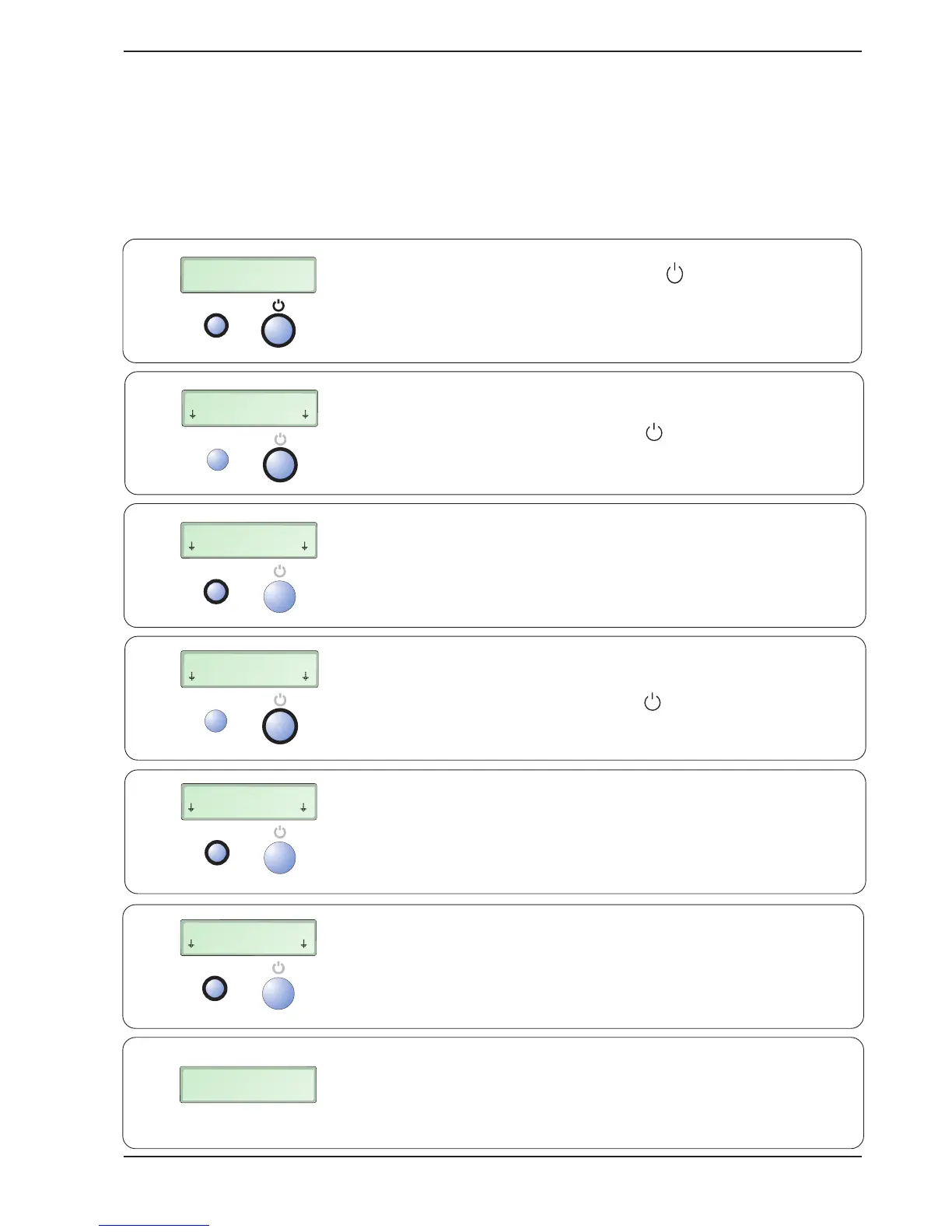
The time can be set to 4 hours or 15 minutes after the latest document has been transferred to
the output tray. The default time upon delivery is 4 h.
Note that the English language is always used in the “User Settings” position. The time before the machine
switches to the energy-saving mode is set as follows:
MEASURE DOCUMENT
SEE PICTURE 1
RESTART
>2 s
RESTART
CUSTOM SETTINGS
BACK Enter
RESTART
ENERGY SAVER 4h
SELECT MORE
RESTART
SWEDISH
SELECT MORE
RESTART
ENERGY SAVER 15m
SELECT MORE
RESTART
CUSTOM SETTINGS
BACK Enter
1 x
1 x
1 x
1 x
1 x
MEASURE DOCUMENT
SEE PICTURE 1
1.
2.
3.
4.
5.
6.
7.
Press and hold down the RESTART and buttons for at least
2 seconds. The temporary function of these two buttons is now
shown on the lower line of the display.
Press the button under Enter (i.e. the button)
once
.
Press the button under Select (i.e. the RESTART button)
once
.
Press the button under More (i.e. the button)
once
.
Press the button under Select (i.e. the RESTART button)
once
.
When satisfied with the settings, press the button under Back
(i.e. the RESTART button)
once
.
The desired time until the machine switches to the energy-saving
mode has now been selected, and the binding machine has
returned to the normal mode.


 To Next Page