DNA Engine Operations Manual
9-2 Tech Support: 1-800-4BIORAD • 1-800-424-6723 • www.bio-rad.com
Overview of Networking
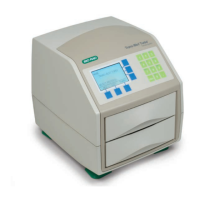
Up to 15 instruments consisting of any combination of DNA Engine
®
(or
DNA Engine Tetrad
®
) cyclers may be networked, with or without a computer as the
controller. When networking with a computer, all the instruments are controlled from
the computer’s keyboard. When networking without a computer, a specially desig-
nated DNA Engine cycler controls the other instruments in the network. Any
combination of single- and dual-block Alpha
™
units may be loaded into networked
instruments, and different protocols can be run independently on them.
Networked instruments can help save time for a busy laboratory. For example, in a
DNA Engine cycler–controlled network, protocols can be entered into the controlling
instrument and then be run on all the other instruments connected to the network.
Networking Instruments without a Computer
Connecting the Instruments
Connect DNA Engine and DNA Engine Tetrad cyclers via the IEEE-488 port on the
back of each instrument (see figs. 2-3 and 12-4), using high-quality cables. Although
several connection configurations are possible, we recommend a simple daisy chain
or star pattern. The DNA Engine cycler’s IEEE-488 interface is fully compatible with
both the IEEE-488.2 and the IEEE-488.1 standards.
Assigning Address Numbers to Instruments
Each instrument must have a unique address number, which is assigned from its con-
trol panel. Address numbers cannot be assigned from the controller.
To assign an address number to a instrument, select Setup from the Main Menu, then
press «Proceed». The Setup Menu will be displayed:
Select Remote, then press «Proceed». A screen allowing choice of a port will be
displayed:
Setup:
_REMOTE Printer
Lid V ersion
Remote:
_SERIAL IEEE-448



 To Next Page