Networking
Tech Support: 1-800-4BIORAD • 1-800-424-6723 • www.bio-rad.com 9-3
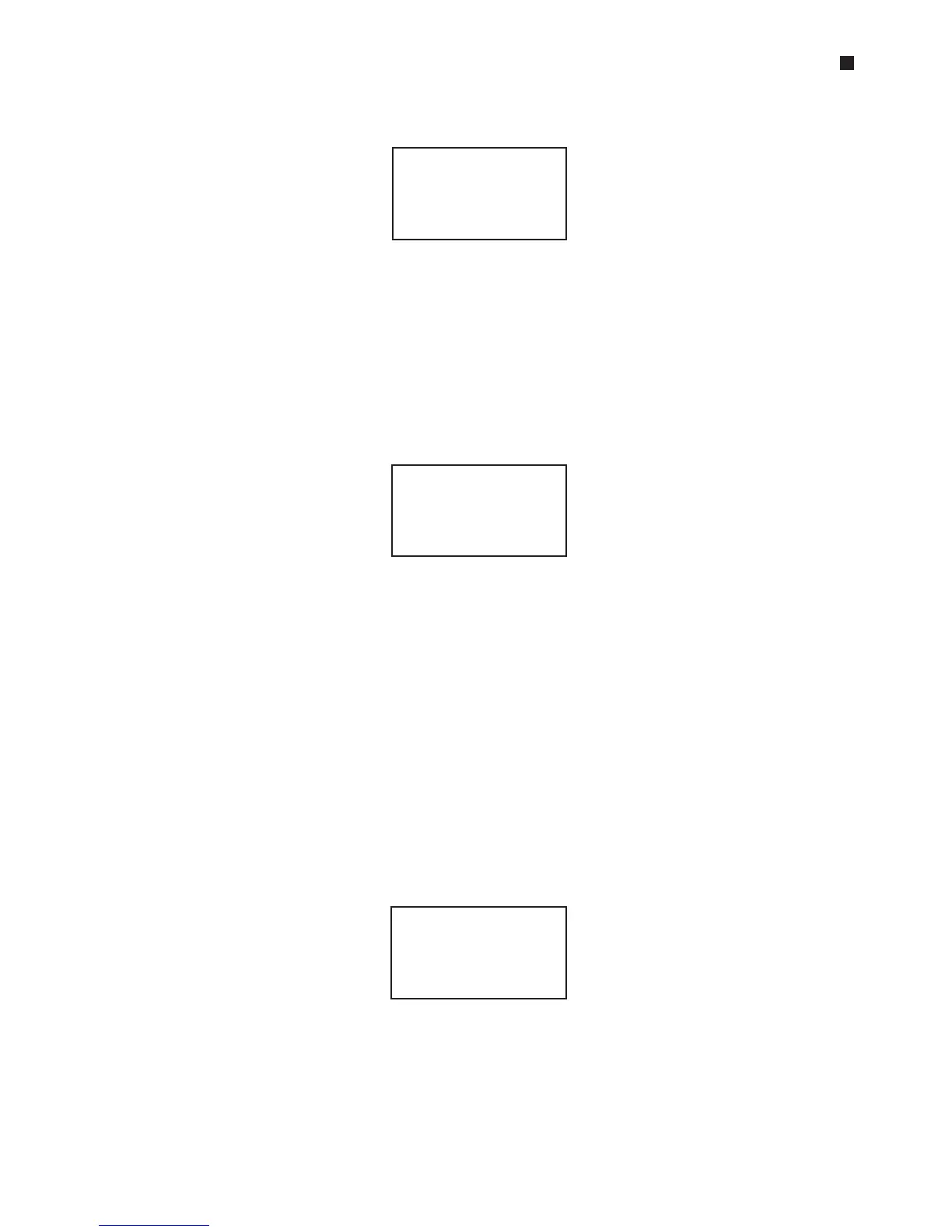
Select IEEE-488, then press «Proceed». The remote addressing screen will be displayed:
Enter an address number for the instrument. Set the controller DNA Engine cycler’s
address to 0. Give the other instruments in the network any number from 1 to 30.
Press «Cancel» to delete a number and enter a new one.
Running a Protocol on Networked Instruments
To run a protocol on networked instruments, use the controller to select a protocol
(see “Choosing a Stored Protocol to Run,” chapter 5), then press «Proceed». The net-
work screen for the controller will be displayed:
The protocol will be identified on the top line (2-STEP in the example above). The
single asterisk in the upper right-hand corner indicates that a single-block Alpha unit
is loaded into the controller. “Local” indicates that this is the controller’s network
screen, and “96V“ indicates the type of Alpha unit loaded into the controller.
If a Dual Alpha
™
unit is loaded into the controller, press «Proceed» until the letter des-
ignating the desired block is displayed after the asterisk in the upper right-hand
corner of the screen. The letter A designates the right-hand block, and the letter B
the left-hand one (e.g., *A, *B).
To run the protocol on the controller’s block, press «Proceed». One or more screens
for setting up the protocol’s temperature control method will be displayed (see
“Running a Protocol,” chapter 5). When these screens have been worked through,
the protocol will begin running.
To run the protocol on a different instrument’s block, press «Block» until the screen
identifies the desired block (22 in the example below):
The instrument’s address number will be identified in the upper right-hand corner of
the screen. “Remote” indicates that this is the network screen for a slave unit, and
“60V” indicates the type of Alpha unit that has been selected. The status light for the
selected block will flash on the control panel of the instrument holding the block.
Remote:
Serial _IEEE-448
Address (0-30): 0
Run: 2-STEP on *
Block: Local (96V)
Run: 2-STEP on 22
Block: Remote 60V



 To Next Page