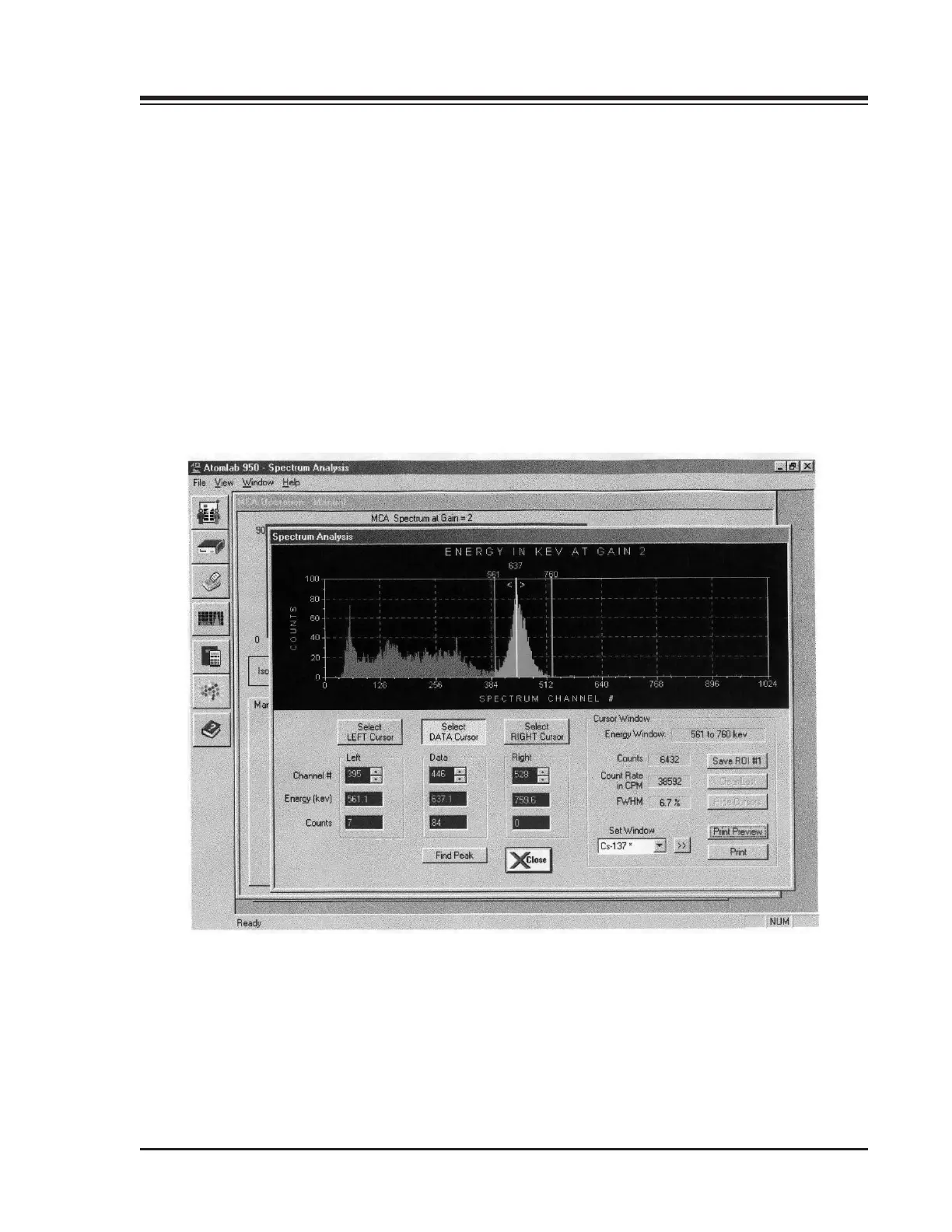
3. To choose a different isotope, click on Set Window and highlight the desired isotope from the
isotope list. The window will switch to that keV setting and display it.
NOTE: The >> button to the right of the Set Window can be used to cycle through the isotope list while
displaying the regions of interest for all the factory and custom isotopes that are stored in memory. This can
help identify an unknown peak that is on your display. If you use this feature to go to a lower gain isotope, the
system may display a message that the lower limit of deection of Co-58 is above the window limit of the selected
gain. This message will be displayed for each isotope until you select one that has an acceptable gain. Click on
<OK> to remove the message window and select another isotope.
4. To set multiple regions of interest on the screen, click on <Show/Hide Cursors> in the Cursor
Window. You can now click on <Select Left Cursor> or Select Right Cursor> and move the cursor to
the desired point. Use the <Up> and <Down> arrows to refine this setting.
1. INTRODUCTION
Figure 3-12. The Spectrum Analysis Screen.
3-21 ADMINISTRATION



 To Next Page