"
#*)%)*"*/"%)*($$(%+*$
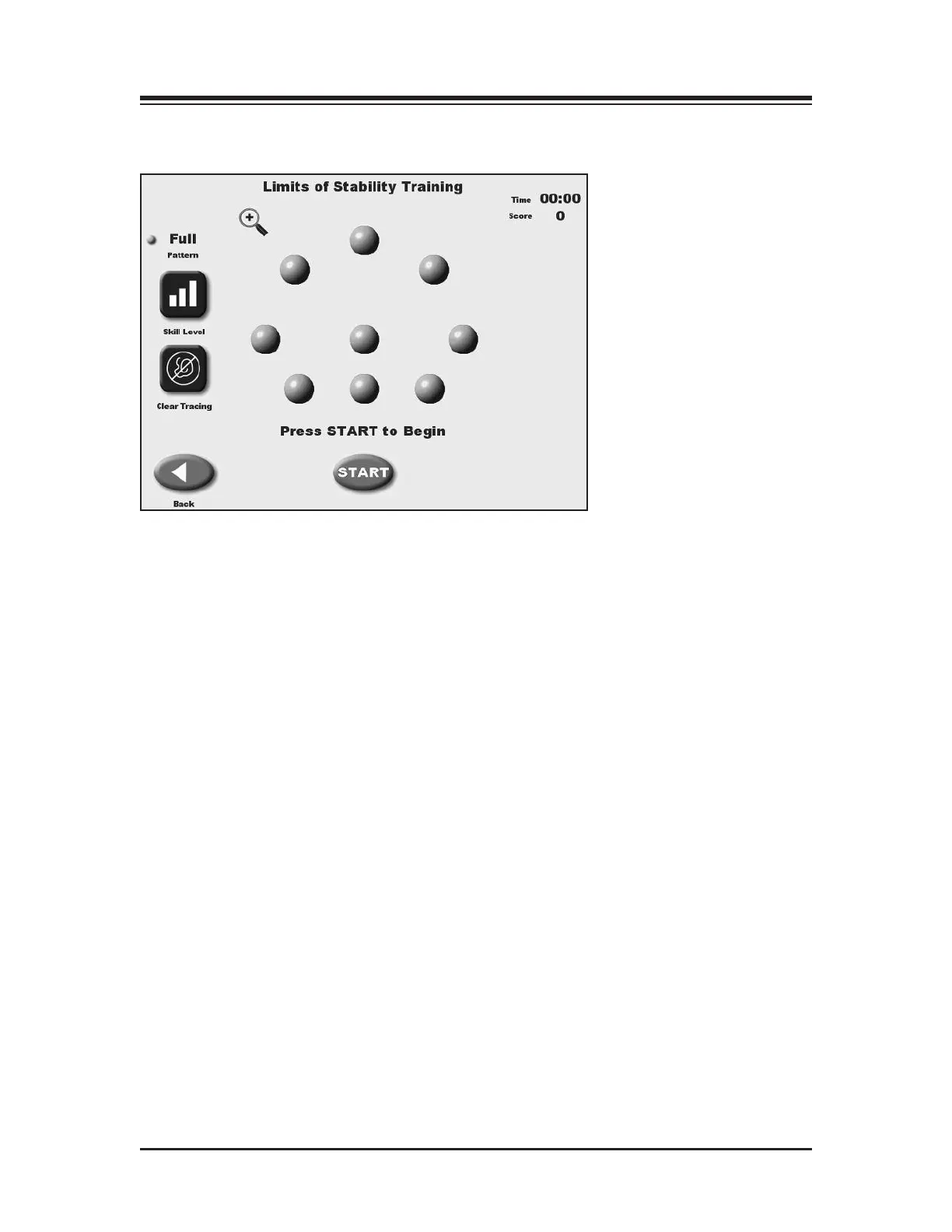
(See Figure 6.3.)
Figure 6.3. The Limits of Stability (LOS) Training screen.
The Limits of Stability Training screen is designed to challenge the user to move through a
movement pattern consistent with the sway envelope. The sway envelope is that area a person
can move their COG within their base of support. It is approximated from vertical as 8 degrees
to one side, 8 degrees to the other (total of 16 degrees of sway,) and 8 degrees forward and 4
degrees back (12 degrees total). Limits of Stability training and testing are based on challenging
the patient within this sway envelope. Testing is usually done at 75% LOS, which is the moder-
ate skill level. Easy skill level is 50% and hard skill level is 100% of the sway envelop. Scoring
percentage-based and reflects the directional accuracy of the movement to the blinking targets
(see Appendix B-1) Time counts up during the LOS training.
"%)*A19>9>7335BB1>49665A5>35BA?=%C85A*A19>9>7#?45B
Access to the Limits of Stability Training mode is similar to Postural Stability Training with the
following differences:
1. Touch <Skill Level> to tighten or widen the spread between targets. Three skill levels are
available from which to choose. Touch <Skill Level> until the desired target configuration is
displayed.
2. If desired, touch <Clear Tracing> to remove any tracing that remains on the screen from a
previous exercise session.
3. Touch <More Options> to advance to the Limits of Stability Training Options screen if
desired. Here you can set the Limits of Stability Hold Time for the exercise, Scoring Tone
On/OFF and turn Tracing ON/OFF. Touch <OK> to confirm your selections and return to the
Limits of Stability screen, or<Cancel> to return to the Limits of Stability screen without mak-
ing changes.
• To set a Limits of Stability Hold Time, use the <
▲> or <▼> keys to scroll to the desired
setting. Hold times range from .025 to 5 seconds.
• To turn tracing ON/OFF, touch <Tracing> to toggle between choices.
COMPUTER PRELIMINARIES
THE TRAINING MODES — 6-4 —



 To Next Page