T
he System Utilities allow users to access the System Configuration and Patient Management
screens.
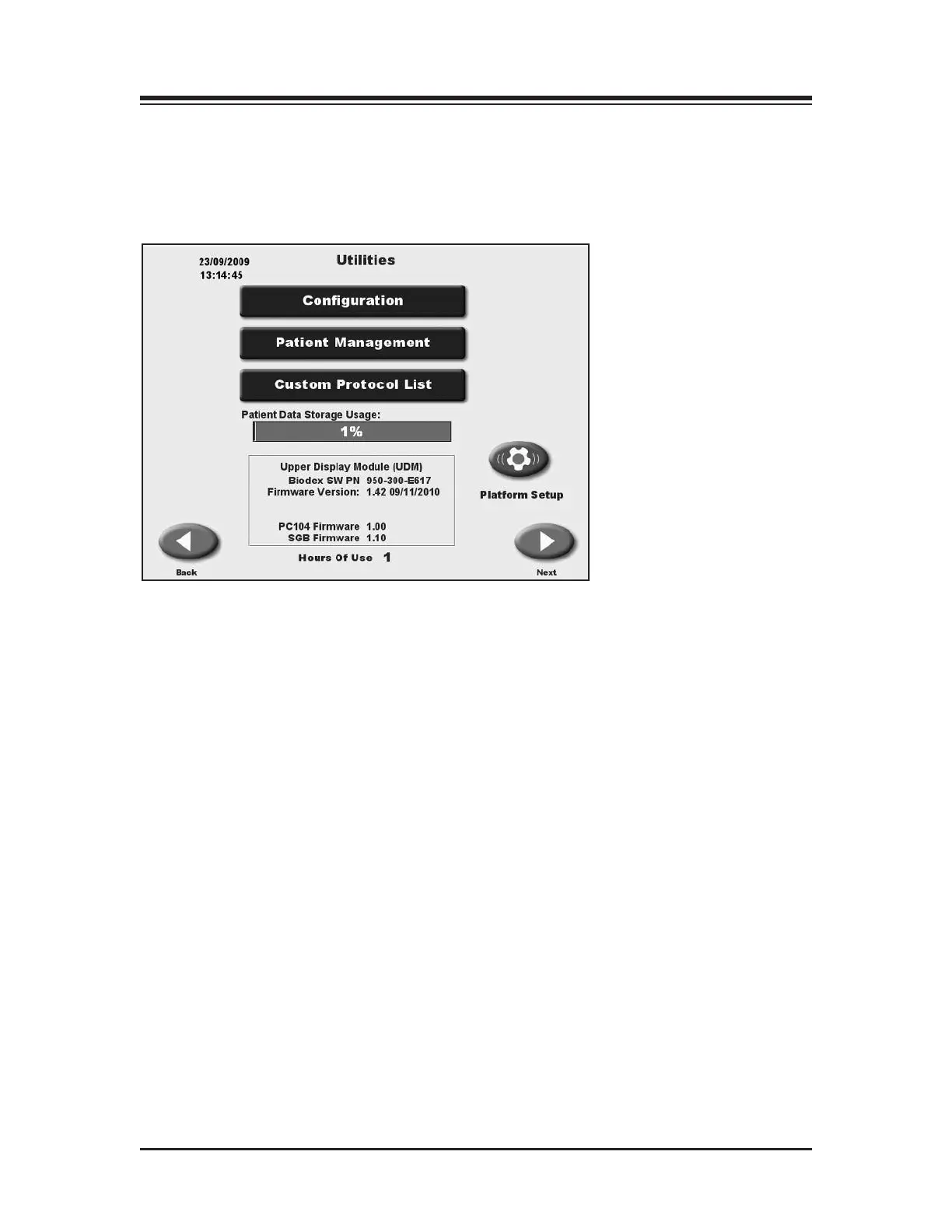
To access the System Utilities, touch <Utilities> on the Main Menu. The System Utilities screen
should now be displayed. From here you can select Configuration or Patient Management by
t
ouching the desired icon.
Figure 9.1. The Utilities screen.
)/)*#+*"*)
CONFIGURATION
PATIENT MANAGEMENT
CUSTOM PROTOCOL LIST
PATIENT DATA STORAGE USAGE
SOFTWARE AND HARDWARE INFORMATION
HOURS OF USE
&1C95>C1C1)C?A175+B175 A bar graph that shows how much of the storage capacity has been
used. It is suggest that once 85% in reached, that measures be taken to free up storage space. See
Patient management for more information.
9. SYSTEM UTILITIES
— 9-1 — SYSTEM UTILITIES



 To Next Page