Patient monitor User’s manual
16-1
Chapter 16 Reviewing
Select【Main Menu】smartkey→【Review】to enter the review function.
Select【Pat. Information】, 【Tabular Trends】, 【NIBP Review】, 【ARR
Review】,【Alm Review】or【Full Disclosure】to open the relevant reviewing
windows.
16.1 Reviewing Graphic Trends
Select【Main Menu】 or 【Trend Review】smartkey→【Review】→
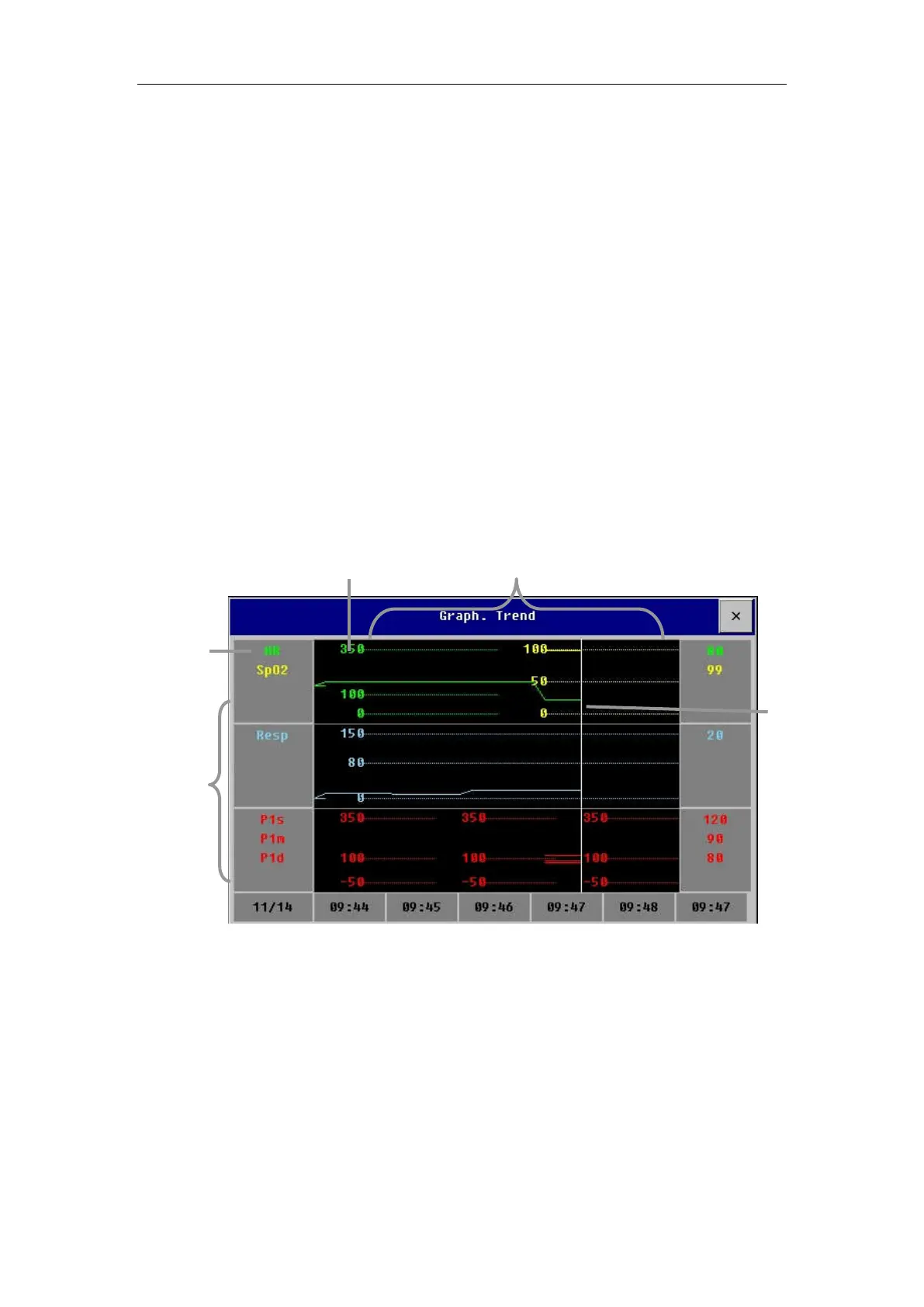
【Tabular Trends】→【Graph. Trend】to open the graphic trends review
window which is as follows.
16.1.1 Selecting Review Parameter
You can select reviewing parameters by the following way:
——Select one parameter label in the parameter selecting frame.
——【Select Trend Group】and select the parameter combination required
to display from the pull-down menu.
If you want to add a trend group defined by user as required, the following
way is available:
Parameter
displaying
area
Parameter
selecting
Trend
cursor
Scale
Graphic Trends area



 To Next Page