Patient Monitor User’s manual
9-3
Warning:
Do not use the SpO
2
sensor on a limb where the NIBP cuff is applied. This
may result in inaccurate SpO
2
reading due to blocked blood flow during cuff
inflation.
Do not conduct SpO
2
measurement on the finger smeared with nail polish,
otherwise unreliable measurement results might be produced.
When using finger sensor, make sure the nail faces to the light window.
9.4 SpO
2
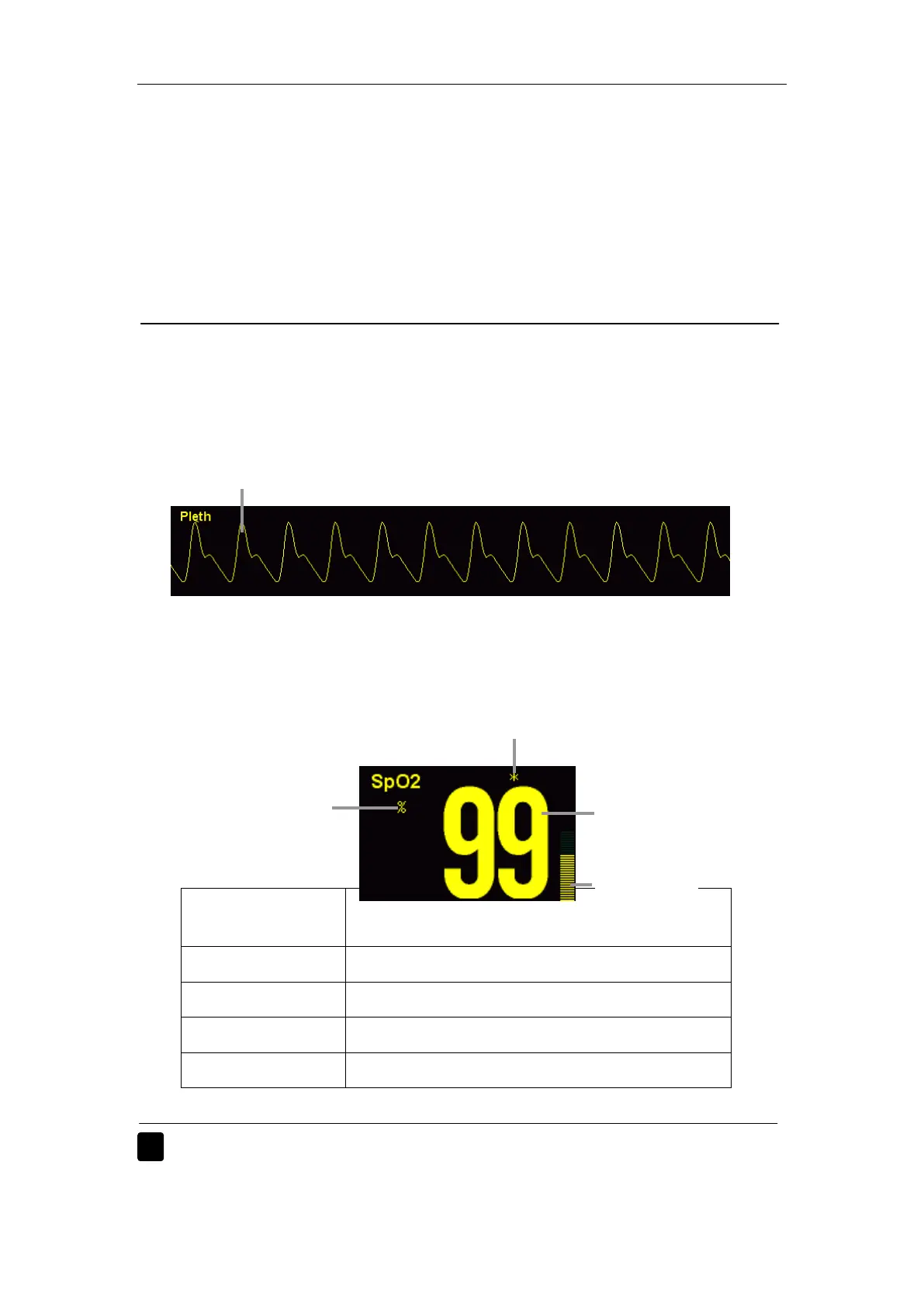
Display
9.4.1 Waveform Display
9.4.2 Parameter Display
For BLT SpO
2
and Nellcor SpO
2
Indicator of signal
intensity
Description
“Weak Signal” The signal strength is too weak to measure.
“*” The signal strength is low.
“**” The signal strength is good.
“***” The signal strength is best.
Warning: When the “Weak Signal” is indicated, it means the signal obtained
by the SpO
2
probe is too bad. User should check the patient’s
Pleth waveform
SpO
2
value
Signal intensity indicator
Pleth bar
SpO
2
unit



 To Next Page