Patient Monitor User’s manual
3-5
3.8 Screen Display
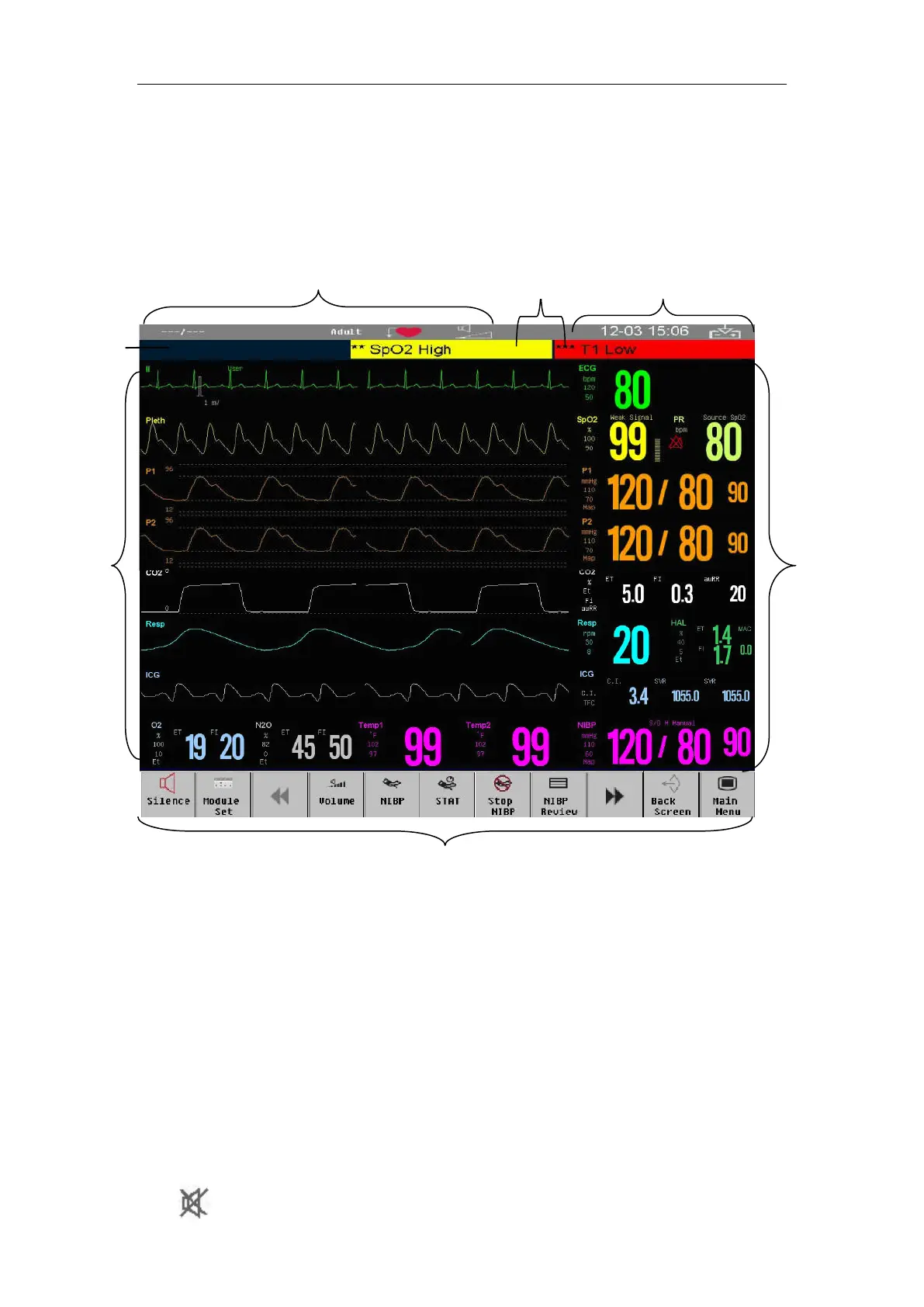
The monitor adopts a display screen of high-resolution TFT LCD.
Measurement numerics, waveforms, patient info, alarm area and menu can be
displayed on the screen. Standard screen is shown as follows:
1. Patient info area
Shows the room number, bed number, patient name, patient category and
paced status of patient.
2. Physiological alarm area
Shows the physiological alarm messages, medium-level and low-level
alarm messages display on the left, while the high-level alarm messages
display on the right.
3. Alarm status area
The system sound is silenced.
7
5
3
6 4
2



 To Next Page