Patient monitor User’s manual
16-3
16.2.1 Selecting Review Parameter
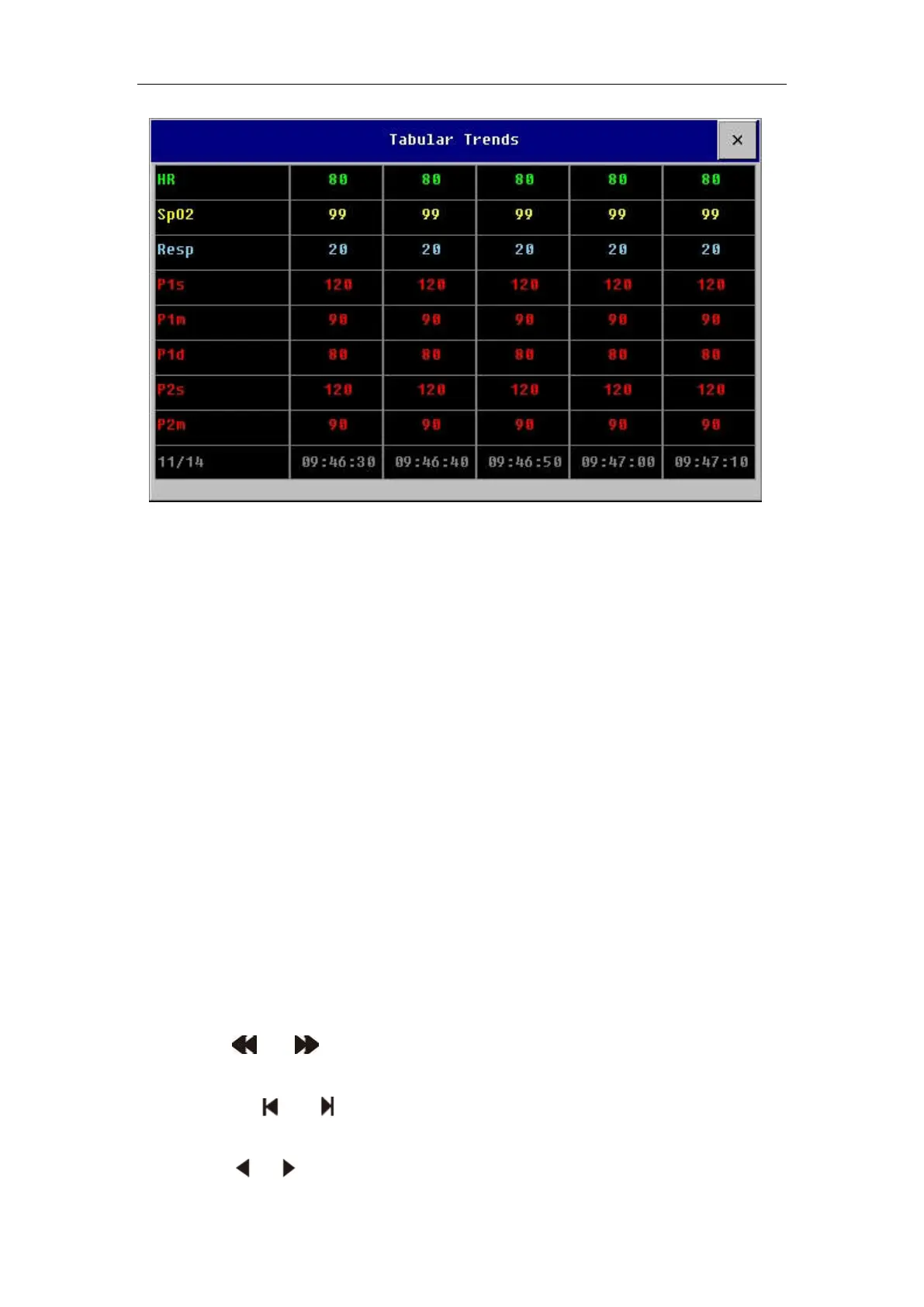
——Select【Select Trend Group】in the menu which is under the tabular
trends window, then select the parameter group in the pull-down menu. If
needing to add trend groups defined by the user, the following way is
available:
——Select【Trend Group Setup】in the menu which is under the tabular
trends window to enter the Trend Group Setup menu. You can define the trend
group name by yourself based on your need, and then add the parameter label
needing displaying.
16.2.2 Selecting Time interval
Select【Interval】in the menu which is under the graphic trends window,
select an appropriate resolution according to your need.
16.2.3 Browsing Tabular Trends
Select or and shift time scale axis leftwards or rightwards to
browse the trends data of this parameter in the previous or the next page.
Selecting or and shifting time scale axis to the first or last page,
you can browse the trends data in the first or the last time interval.
Select or and shift time scale axis leftwards or rightwards to browse



 To Next Page