9
USB Extension Cable
1. Remove the USB Extension Cable from its packaging.
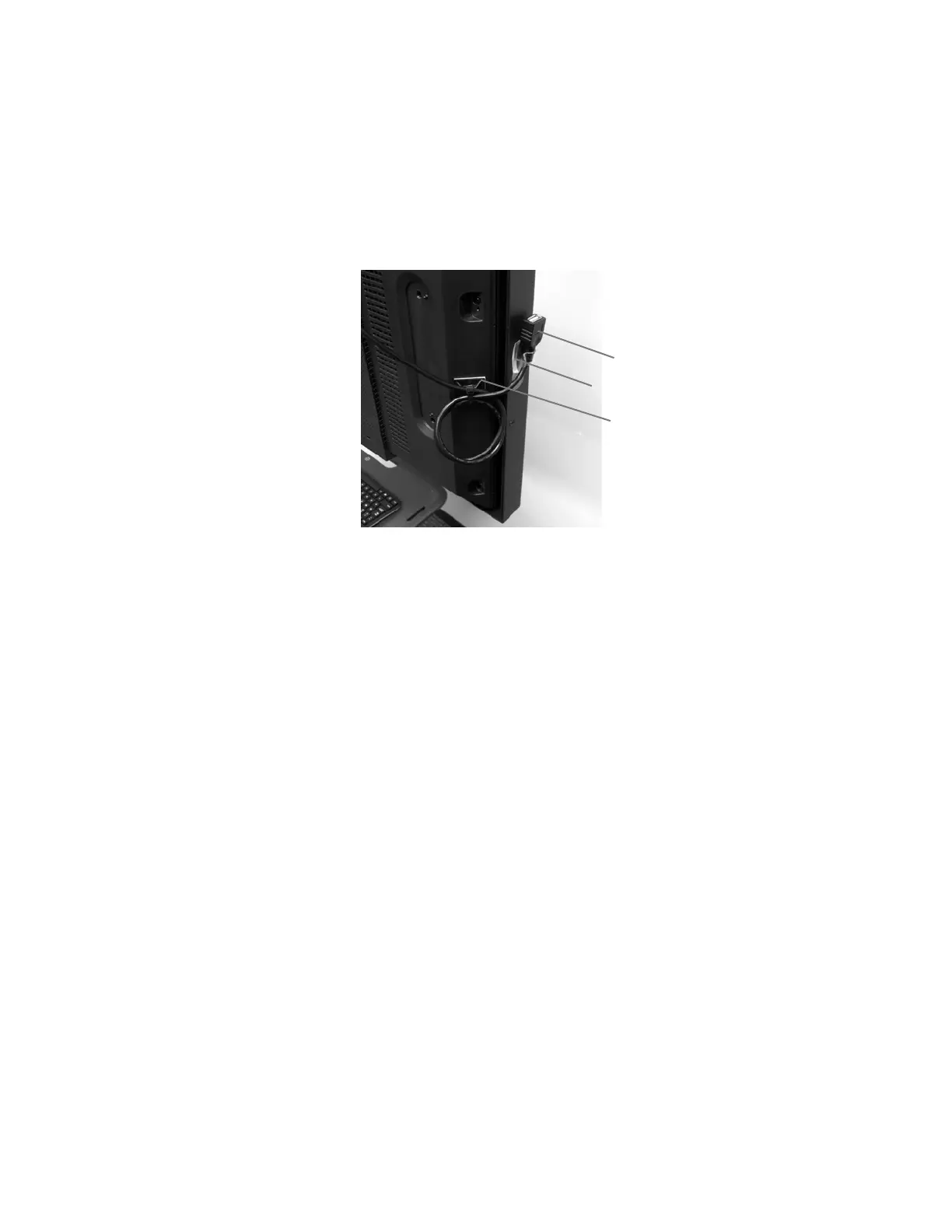
2. Attach one of the Cord Clips to the right side of the Touchscreen bezel about six inches from the bottom of the
Touchscreen Monitor. See Figure 9.
3. Insert the USB Extension Cable into the available USB port on the right side of the computer.
4. Secure the USB Extension Cable into the Cord Clip.
5. Remove the slack from the USB Extension Cable by looping the cable with two loops, and secure the USB Extension
Cable to the Mounting Base by feeding a zip tie through the opening in the Mounting Base and tightening it around
the loops.
Figure 9: USB Extension Cable
Power and HDMI Cable Installation
1. Remove the Touchscreen Display Monitor Power Cord from package and insert into the back of the monitor.
2. Connect the PC Power Adapter to the PC Power Cord and plug it into the PC power port on the right side of the
computer.
3. Remove the HDMI cable from its packaging. Plug one end of the cable into the HDMI output on the right side of the
computer. Plug the other end into the "HDMI IN 1" input on the back of the display monitor.
Note: For Installations in the UK use the appropriate blades with the AC power adapter supplied with the computer and the
power cord supplied in the BITS Power Supply Kit, UK (BIT-A001). Discard the Touchscreen Display Monitor Power Cord
from the BITS Hardware Kit (117-00154-000 or 117-00154-001). Replace this power cord with the one supplied in the BITS
Power Supply Kit, UK (BIT-A001).
Securing the Power Strip
Note: For Installations in the UK use the Power Strip supplied in the BITS Power Supply Kit, UK (BIT-A001). Discard the
Power Strip from the BITS Computer Kit (117-00160-001) and replace it with the Power Strip supplied in the BITS Power
Supply Kit, UK (BIT-A001).
1. Connect 2 strips of fastener together. Remove the protective cover from one side and affix it to one end of the bottom
of the Power Strip.
2. Connect 2 more strips of fastener together. Remove the protective cover from one side and affix it to the other end of
the bottom of the Power Strip.
3. Remove the protective covers from the other side of both fasteners and mount the Power Strip to the Mounting
Platform on the back of the display stand. See Figure 10.
Note: Secure the power strip toward the rear of the Mounting Platform.



 To Next Page