11
Inserting or Removing the Battery
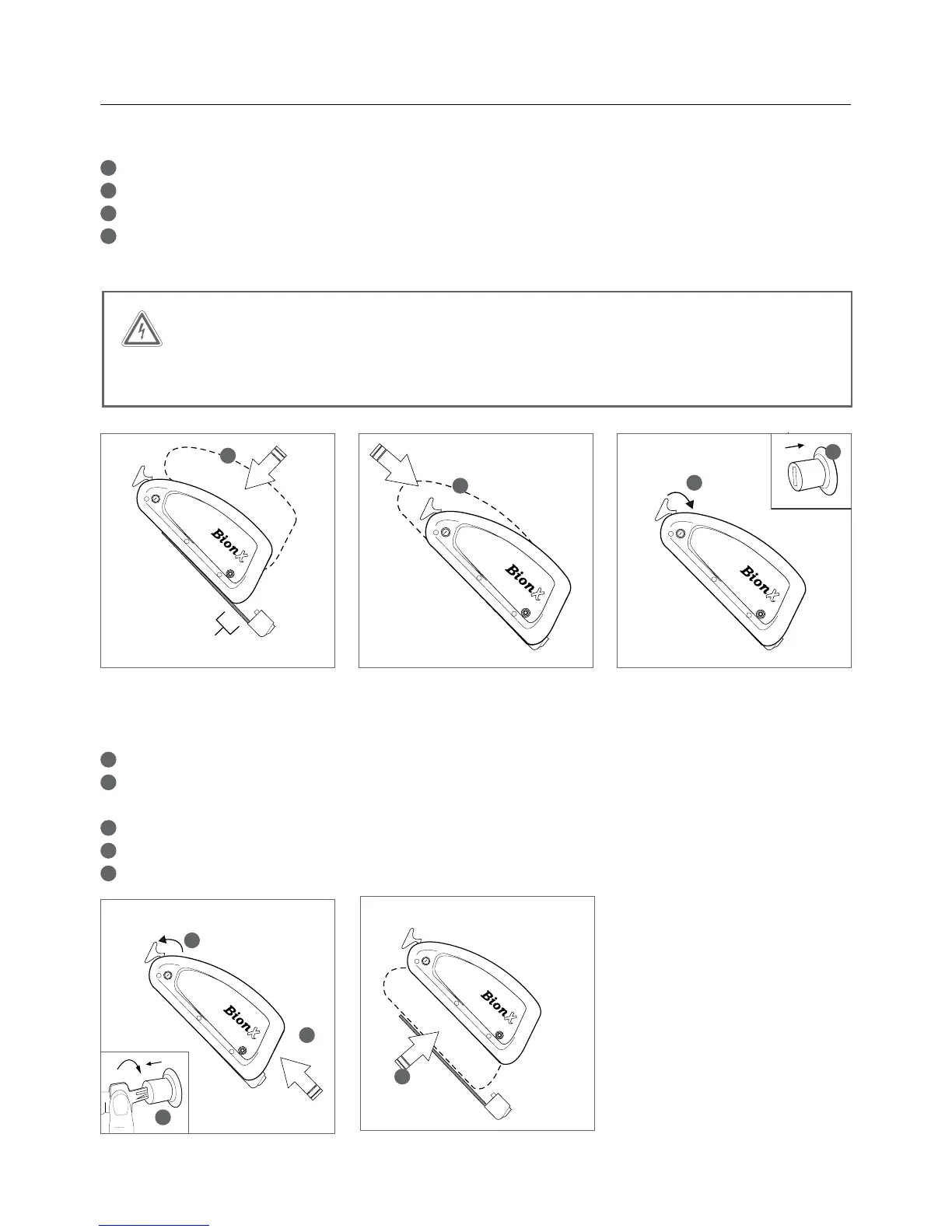
Inserting the down tube battery
1
Place the battery into the docking station
2
Slide the battery down the rail gently towards the connector
3
The release arm will close automatically as the battery slides towards the connector
4
With the release arm almost closed, hold it in place and simultaneously press in the lock cylinder –
youwillheara“click”whenthelockcylinderisproperlyclosed
Removing the down tube battery
1
TurnofftheBionXpropulsionsystem(noillustration)
2
Lightly press on the battery release arm, insert the key and turn clockwise.
The lock cylinder will protract, freeing the battery release arm
3
Remove the battery by opening the release arm
4
Slide the battery upwards on the rail
5
Lift the battery to remove



 To Next Page