20
Programming the Basic Settings
In general, all basics settings for your BionX electric propulsion system are pre-set. Basic display functions
can be set by entering the programming mode. Contact your dealer to customize the advanced functions of
your system.
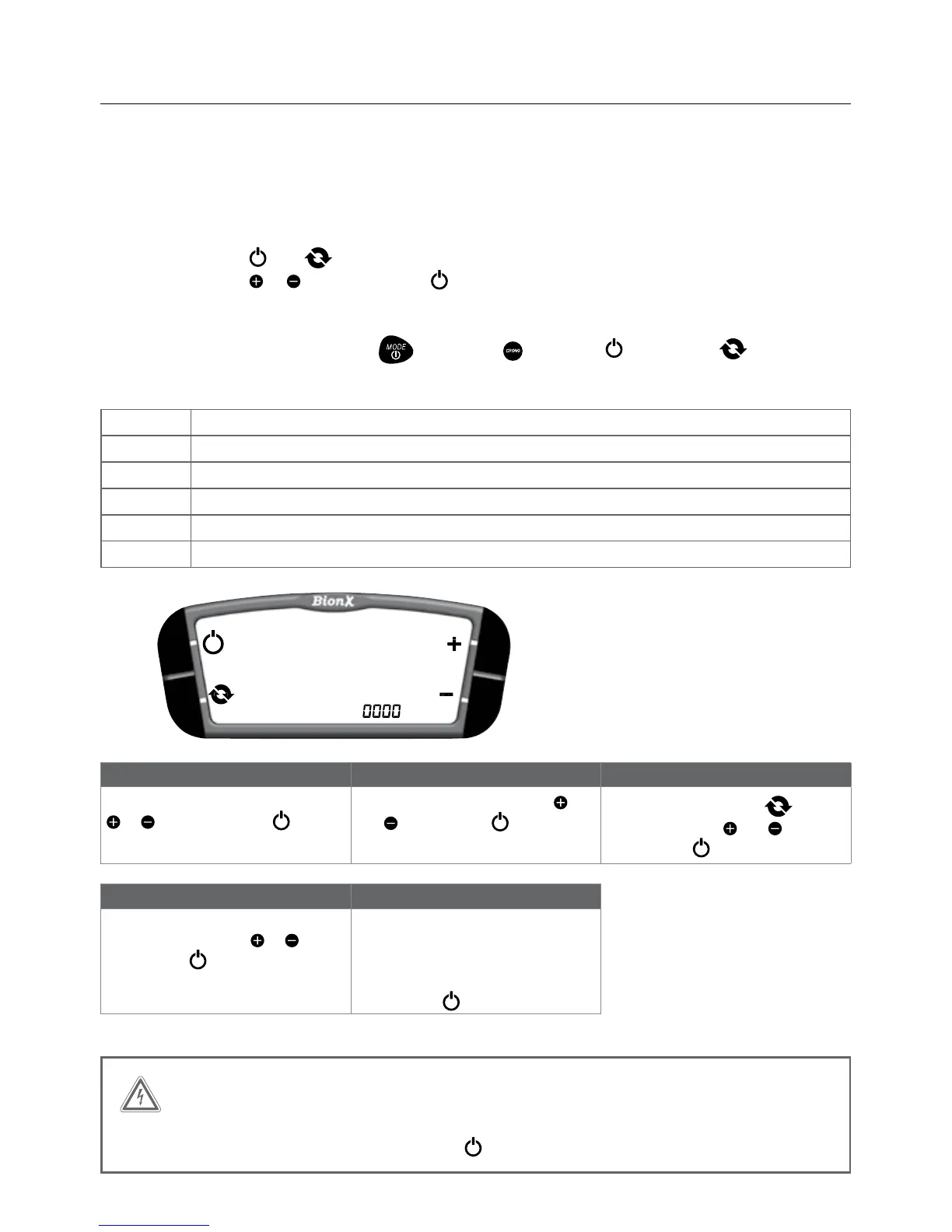
Turn on the programming mode
Simultaneously push and untilthedisplayshows“0000”.Therstzeroblinks.Changethevalue
of the selection with or and confirm with . Select the other digits in the same manner until the
desired program is displayed.
Note: For G1 programming, substitute (mode)and (crono)for (power)and (cycle)
respectively, plus and minus remain the same.
Code Description
2001 Selectkm/hormph
2002 Regeneration/brakeoutput(forreedswitch)0-40(ideally30-40)
2004 Clock adjust
2005 Tirecircumference(millimeters)
2009 FlipDisplayPlus/Minus0=powerleft,1=powerright(G2only)
Code 2001 Code 2002 Code 2004
Selectunit-km/hormph.Selectwith
or , and confirm with .
Default value: 30. Change with
and
. Confirm with .
Selecthour/minuteswith
,
change value with
and .
Confirm with
.
Code 2005 Code 2009
Settiresize(inmm)-Selectdigits
one after another with
or , and
confirm with
.
Current setting of main functions is
displayed. Flip = 0, assist toggle is
on
the right side of console; Flip = 1,
assist
toggle is on the left side of console.
Confirm with
.
WARNING
Do not use other programming codes without consulting your authorized dealer.
If you type the wrong code, please push the key to exit programming mode.


 To Next Page