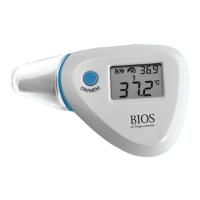
Note: The real time clock must be set up first before this function is
available (see Section 3 for how to set up the time and date.)
12. CHANGING FROM CELSIUS TO FAHRENHEIT
1. In ‘Power Off; mode (The LCD only shows the date, time, and room
temperature). Press and hold the ‘SCAN’ button, then immediately press
and release the ‘ON/MEM’ button. After 3 seconds the °C icon will be
replaced with the °F icon.
2. Repeat steps to switch back and forth between Celsius and Fahrenheit.
13. CARE AND CLEANING
• After each use, use an alcohol swab or cotton swab moistened
with alcohol (70% Isopropyl) to clean and disinfect the probes and
thermometer casing.
• Keep the unit dry and away from any liquids and direct sunlight.
• Storage temperature range -20°C to 50°C (-4°F to 122°F).
12



 To Next Page