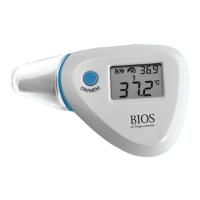
6. DIRECTION FOR USE – FOREHEAD MODE
1. If probe is not attached, attach following the steps below.
Attaching or Removing Forehead Probe: On the backside of the
thermometer you will see a small arrow close to the head. When
removing or attaching forehead probe line up the arrow on the device
head with the arrow on the forehead probe. Only when the arrows are
aligned will the probe attach or remove. Always make sure the probe is
clean and not damaged.
2. Power On: Press the ‘ON/MEM’ button.
3. The default mode for the thermometer is the forehead mode when the
ear probe is attached. The thermometer is ready for use after you see
the icon on the display screen and hear two beeping sounds.
4. Place the thermometer against the required left or right temple location
(see Figure 5) .
5. Press the ‘SCAN’ button and gently scan around the temple area (see
Figure 5.1). While scanning, you will hear a beeping sound, which
indicates that the newest measurement is taking place. Measurement
has been completed after two short beeps are heard and the forehead
icon stops flashing.
8



 To Next Page