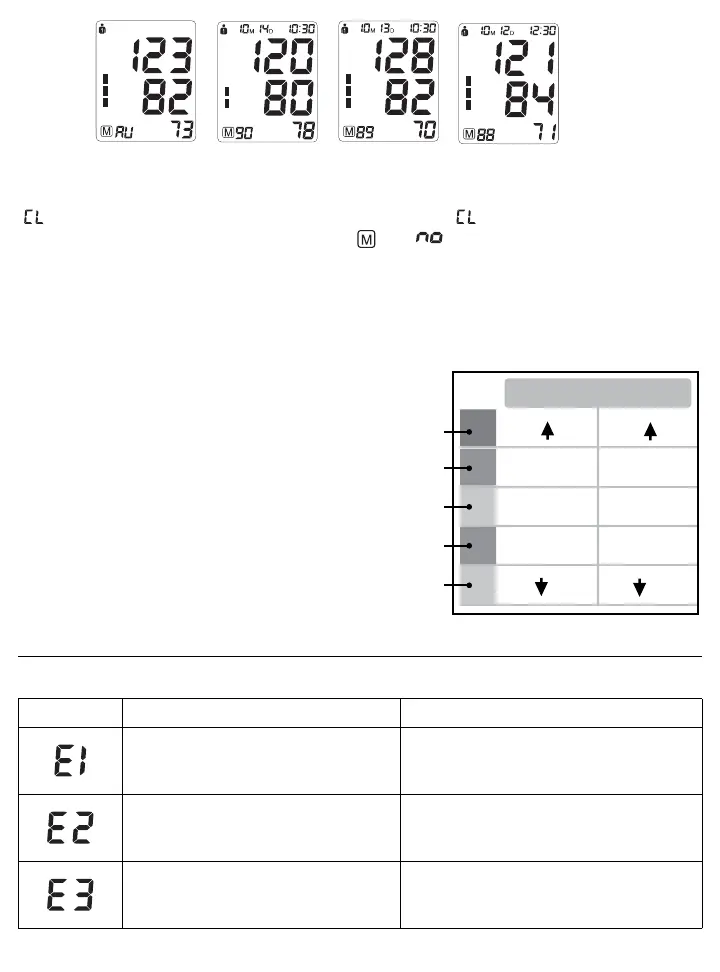
3.8 Clear Measurements From Memory
If you are sure that you want to permanently remove all stored memories, press the SET button 7 times until
“ ” appears when the power is off. Press the START/STOP button until “ ” flashes 3 times to clear the memory.
After this, press either the “+” or “-” button, the symbols “ ” and “ ” will appear on the screen. This means that
the memory has successfully cleared.
3.9 Blood Pressure Assessment Indicator
The bars on the left hand side of the display show you the range within which the indicated blood pressure values
lies. Depending on the height of the bar, the readout value is either within the normal (green), borderline (yellow) or
danger (red) range.
The classification is based on standards adopted by
Hypertension Canada.
The indicator bar rises according to your measurement.
• If your measurement has only one or two bars, your
measurement is in the green zone, or “Normal”.
• If your measurement has three bars, it is in the yellow
zone, or “High Normal”, in the pre-hypertensive range.
• If your measurement has four bars, it is in the red zone
“High Blood Pressure with Self / Home Monitoring”.
• If your measurement has five bars, it is in the red zone or
“Moderate to Severe Hypertension”.
4. Error Messages / Malfunctions
If an error occurs during a measurement the LCD displays the corresponding error code.
Error Possible Cause Remedy
Weak signal or a sudden change in pressure
Ensure that the cuff is worn correctly and
measure again. Avoid movement or talking when
the cuff is being inflated.
External disturbance (eg. if there is a cell
phone near by)
Electromagnetic interferance can cause odd
behaviour in the monitor. Move away from the
source.
Appears when there is an error during the
inflation process
Make sure the cuff is wraped around the
arm properly and that the air plug is properly
connected to the unit.
SYS
145
135-145
95
85-95
81-84
70-80
70
121-134
110-120
110
(mmHg)
DIA
Red
Red
Yellow
Green
Green















 To Next Page