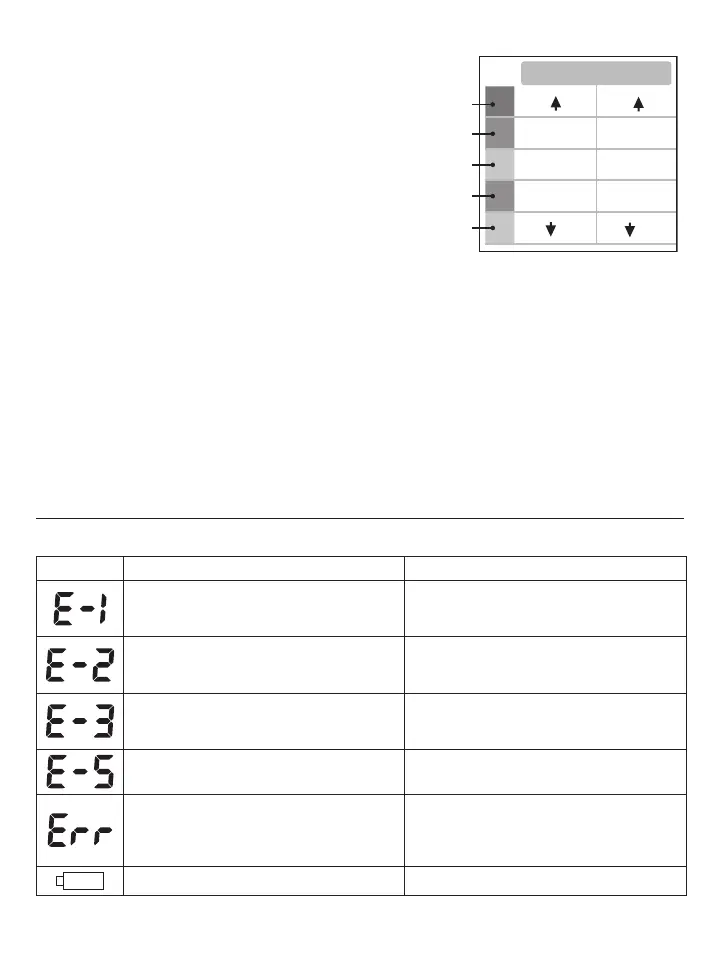
The classification is based on standards adopted by
Hypertension Canada.
The indicator bar rises according to your measurement.
s)FYOURMEASUREMENTHASONLYONEORTWOBARSYOUR
measurement is in the green zone, or “Normal”.
s)FYOURMEASUREMENTHASTHREEBARSITISINTHEYELLOWZONE
or “High Normal”.
s)FYOURMEASUREMENTHASFOURBARSITISINTHEREDZONEh(IGH
Blood Pressure with Self / Home Monitoring”.
s)FYOURMEASUREMENTHASlVEBARSITISINTHEREDZONEOR
“Moderate to Severe Hypertension”.
3ETTINGTHE!LARM
This blood pressure monitor allows you to set two alarm times at which an alarm signal will then be triggered.
This can be a useful aid, for instance as a reminder to take your measurements for the Protocol Software (7D
Mode) or to remind you to take medication.
1. To set the alarm, while the monitor is OFF, press the SET button 8 times, “AL OFF 1vWILLmASHPRESSTHE“+”
or “-“ buttons to switch between the alarm being OFF or ON. Select “AL ON 1” and press the SET button. The
(/523WILLBEGINTOmASHPRESS“+” or “-“ buttons to change the HOUR digits, press SET button to confirm.
.EXTTHE-).54%DIGITSWILLmASHPRESSTHE“+” or “-“ buttons to change the digits, press SET to confirm.
3. Once Alarm 1 is set, you can follow the same steps above to set Alarm 2.
4. Error Messages / Malfunctions
If an error occurs during a measurement the LCD displays the corresponding error code.
Error Possible Cause 2EMEDY
Weak signal or a sudden change in pressure
Ensure that the cuff is worn correctly and
measure again. Avoid movement or talking
WHENTHECUFFISBEINGINmATED
External disturbance (eg. if there is a cell
phone near by)
Electromagnetic interferance can cause odd
behaviour in the monitor. Move away from
the source.
Appears when there is an error during the
INmATIONPROCESS
Make sure the cuff is wraped around the
arm properly and that the air plug is properly
connected to the unit.
Abnormal Blood Pressure
Rest for 5 minutes and try measurement
again.
In 7D Mode - Protocol was not done correctly
Delete all measurements from the memory.
Start Protocol again. Take 4 measurements a
day ( 2 in the morning, 2 in the evening) for 7
days straight.
Low battery Replace batteries.
If problems occur when using the device the following points should be checked, and if necessary, the
corresponding measures should be taken.
SYS
14 5
135-14 5
95
85-95
80-84
71-80
70
121-134
110-120
110
(mmHg)
DIA
Red
Red
Yellow
Green
Green















 To Next Page