9OURBLOODPRESSUREALSOINCREASESANDDECREASESUNDERTHEFOLLOWINGCIRCUMSTANCES
"LOODPRESSUREISHIGHERTHANNORMAL
s7HENYOUAREEXCITEDNERVOUSORTENSE
s7HILETAKINGABATH
s$URINGANDAFTEREXERCISEORSTRENUOUSPHYSICALACTIVITY
s7HENITISCOLD
s7ITHINONEHOURAFTERMEALS
s!FTERDRINKINGTEACOFFEEOROTHERCAFFEINATEDDRINKS
s!FTERSMOKINGTOBACCO
s7HENYOURBLADDERISFULL
b) Why is the doctor’s reading different from the reading taken at home?
Your blood pressure can vary due to the environment (temperature, nervous condition). When measuring
blood pressure at the doctor’s office, it is possible for blood pressure to increase due to anxiety and tension.
c) Why should I monitor blood pressure at home?
One or two readings will not provide a true indication of your normal blood pressure. It is important to take
regular, daily measurements and to keep records over a period of time. This information can be used to
assist your physician in diagnosing and preventing potential health problems.
2. Getting Started
!BOUTTHE"LOOD0RESSURE-ONITOR
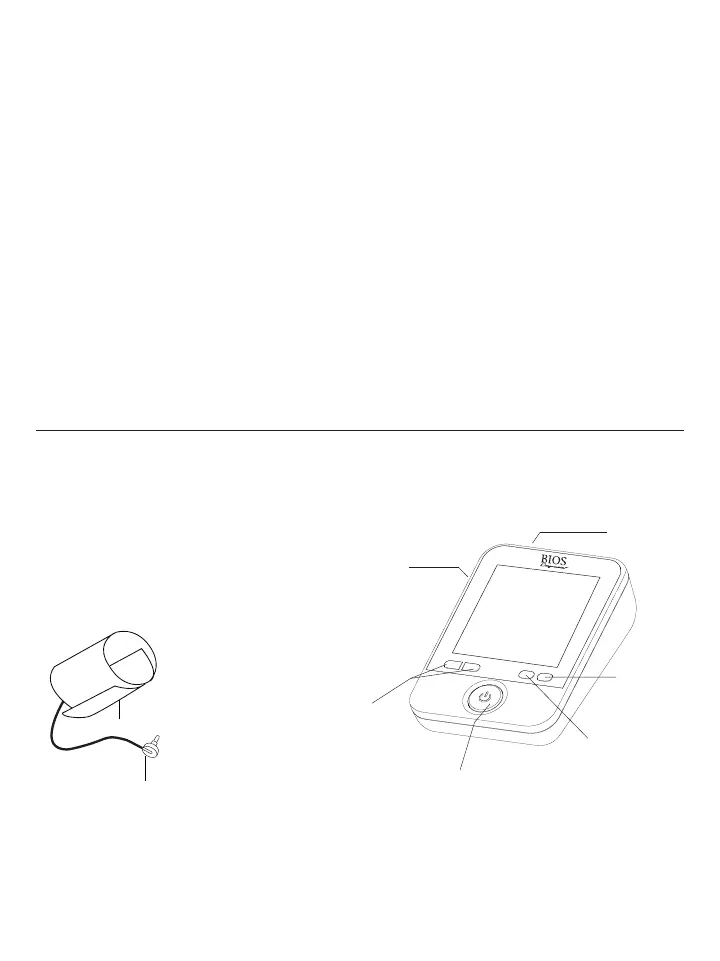
This section describes the various components of the Blood Pressure Monitor.
a) Blood Pressure Monitor
b) Cuff
Wide range cuff
Cuff connector
Air socket for
cuff connector
AC/DC socket
Set button
Start/Stop button
Memory
button
5PPER!RM#UFF
Wide range cuff for arm circumference 24 - 43 cm or 9.4” - 17”.
#UFF#ONNECTION
Insert the cuff connector into the opening provided on the left side of the monitor as shown in the diagram.
"LOODPRESSUREISLOWERTHANNORMAL
• After consuming alcohol
• After taking a bath















 To Next Page