EasyManua.ls Logo

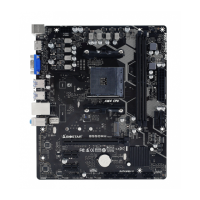
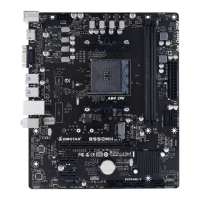
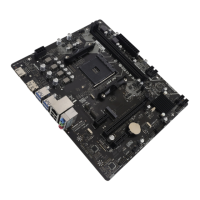
Biostar A520MH 3.0 - User Manual

Biostar A520MH 3.0
142 pages
Print Icon
To Next Page IconTo Next Page
Loading...
FCC Informaon and Copyright
This equipment has been tested and found to comply with the limits of a Class B digital device,
pursuant to Part 15 of the FCC Rules. These limits are designed to provide reasonable protecon
against harmful interference in a residenal installaon. This equipment generates, uses, and can
radiate radio frequency energy and, if not installed and used in accordance with the instrucons,
may cause harmful interference to radio communicaons. There is no guarantee that interference
will not occur in a parcular installaon.
The vendor makes no representaons or warranes with respect to the contents here and
specially disclaims any implied warranes of merchantability or tness for any purpose. Further
the vendor reserves the right to revise this publicaon and to make changes to the contents here
without obligaon to nofy any party beforehand.
Duplicaon of this publicaon, in part or in whole, is not allowed without rst obtaining the
vendors approval in wring.
The content of this users manual is subject to be changed without noce and we will not be
responsible for any mistakes found in this users manual. All the brand and product names are
trademarks of their respecve companies.
Dichiarazione di conformità sintetica
Ai sensi dell’art. 2 comma 3 del D.M. 275
del 30/10/2002
Si dichiara che questo prodotto è
conforme alle normative vigenti e
soddisfa i requisiti essenziali richiesti
dalle direttive
2004/108/CE, 2006/95/CE e 1999/05/CE
quando ad esso applicabili
Short Declaration of conformity
We declare this product is complying
with the laws in force and meeting all
the essential requirements as specied
by the directives
2004/108/CE, 2006/95/CE and 1999/05/
CE
whenever these laws may be applied
The terms HDMI and HDMI High-Denion Mulmedia Interface, and the HDMI Logo are trademarks or
registered trademarks of HDMI Licensing Administrator, Inc. in the United States and other countries.

Table of Contents

Questions and Answers

  • S
    Steven RojasJul 29, 2025
    How to troubleshoot no power issue on Biostar A520MH 3.0?
    • D
      Derek PaceJul 30, 2025
      If there is no power in your Biostar Motherboard system, and the power LED doesn't light up while the power supply fan isn't working, make sure the power cable is securely plugged in. If it is, try replacing the power cable. If the issue persists, the next step is to contact technical support.
  • O
    oleonAug 6, 2025
    What to do if Biostar A520MH 3.0 Motherboard doesn't boot from hard drive?
    • Z
      zsmithAug 6, 2025
      If your Biostar Motherboard system boots from the optical drive but not the hard drive, check the cable connecting the disk to the disk controller board, ensuring both ends are securely plugged in. Also, verify the drive type in the standard CMOS setup. Backing up the hard drive is extremely important, as hard disks can fail at any time.
  • B
    brownkennethAug 13, 2025
    Why Biostar A520MH 3.0 won't boot after installing second hard drive?
    • J
      Jaime RobertsAug 13, 2025
      If your Biostar Motherboard system fails to boot after installing a second hard drive, set the master/slave jumpers correctly and run the SETUP program to select the correct drive types. For compatibility issues with other drives, contact the drive manufacturers.
  • B
    brandonrosarioAug 20, 2025
    What to do if Biostar Motherboard shows 'Invalid Configuration'?
    • E
      Erin HayesAug 20, 2025
      If your Biostar Motherboard displays an “Invalid Configuration” or “CMOS Failure” message, review the system’s equipment and ensure the correct information is in the setup.

Summary

Chapter 2: Hardware installation

2.1 Install Central Processing Unit (CPU)

Step-by-step instructions for safely installing the CPU into its socket.

2.2 Install a Heatsink

Guides users on correctly mounting the CPU heatsink and fan assembly.

2.4 Install System Memory

Provides instructions for inserting and seating DDR4 memory modules correctly.

Chapter 3: UEFI BIOS & Software

3.1 UEFI BIOS Setup

Explains how to access and navigate the BIOS setup utility for system configuration.

3.2 BIOS Update

Outlines methods for updating the system's BIOS for new features or fixes.

Chapter 4: Useful help

4.4 Troubleshooting

Offers solutions for common hardware issues, including CPU overheating protection.

Biostar A520MH 3.0 Specifications

General IconGeneral
Form FactorMicro ATX
ChipsetAMD A520
SocketAM4
Memory Slots2
Max Memory64GB
PCIe Slots1 x PCIe 3.0 x16, 1 x PCIe 3.0 x1
Memory SupportDDR4 3200/ 2933/ 2667/ 2400/ 2133 MHz
Storage Interface4 x SATA III
USB Ports6 x USB 2.0
AudioRealtek ALC887
LANRealtek RTL8111H
Video OutputsHDMI, VGA

Related product manuals