Chapter 2: Hardware installaon | 9
B350ET2
<TypeB>
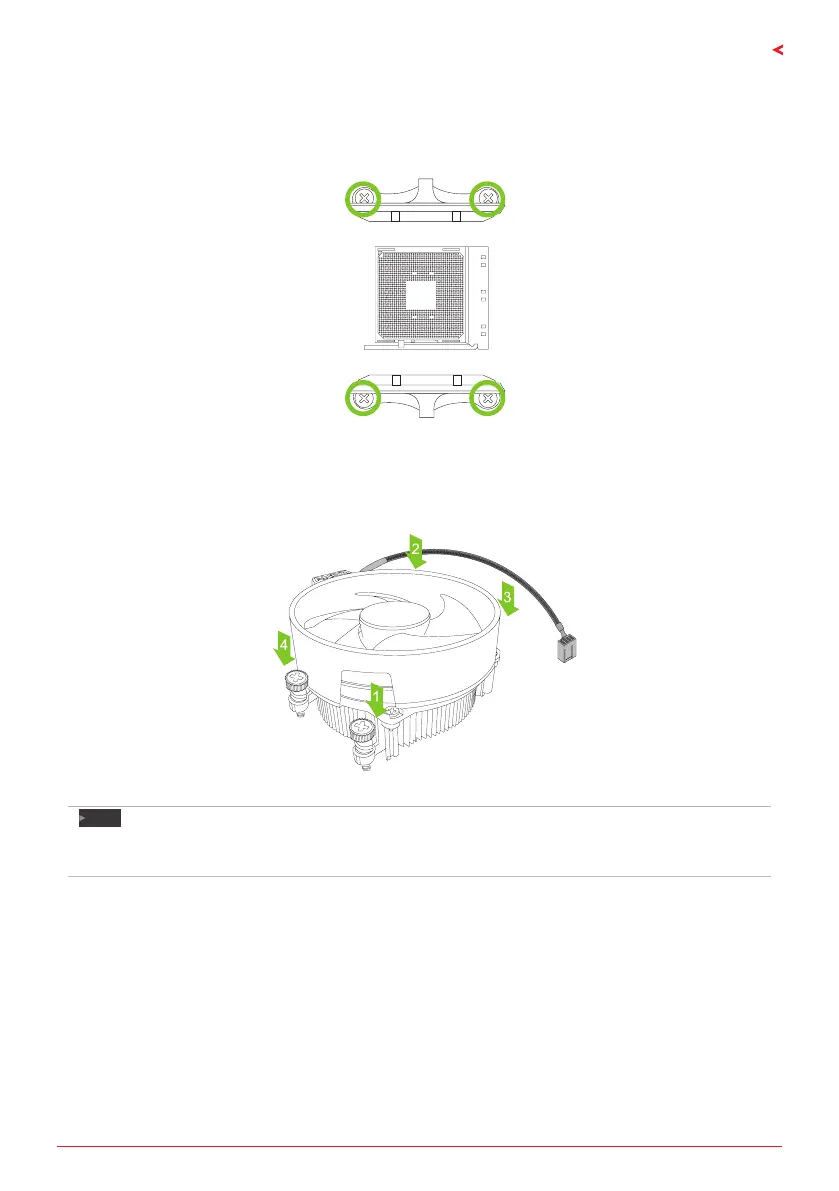
Step 1: Remove the heatsink and fan assembly bracket on the motherboard and keep the
cooler backplane under the motherboard.
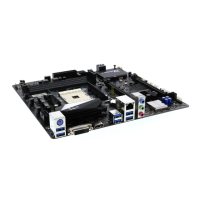
Step 2: Place the heatsink and fan assembly on top of the installed CPU and make sure that the
fan cable is closest to the CPU fan connector. Please refer diagram to the following screw into
the screw hole in the order shown.
Note
»
DonotforgettoconnecttheCPUfanconnector.
»
Forproperinstallaon,pleasekindlyrefertotheinstallaonmanualofyourCPUheatsink.


 To Next Page