User’s Manual
30
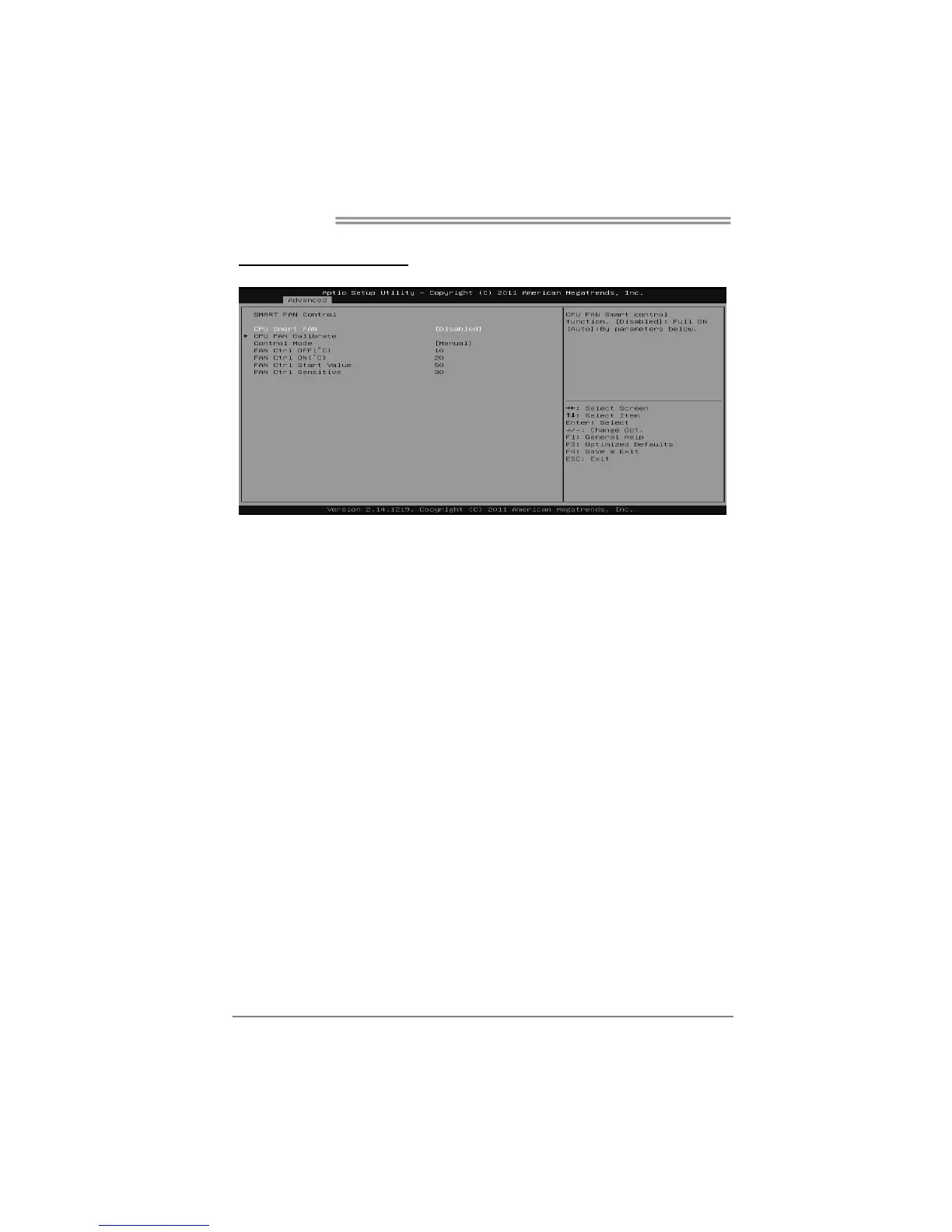
SMART FAN Control
CPU Smart FAN
This item allows you to control the CPU Smart Fan function.
Options: Disabled (Default) / Auto
CPU FAN Calibrate
Press [ENTER] to calibrate CPU FAN.
Control Mode
This item provides several operation modes of the fan.
Options: Quiet / Aggressive / Manual
Fan Ctrl OFF(℃)
When CPU temperature is lower than this value, the CPU fan will keep lowest
RPM.
Options: 10 (℃) (default)
Fan Ctrl On(℃)
When CPU temperature is higher than this value, the CPU fan controller will turn
on.
Options: 20 (℃) (Default)
Fan Ctrl Start Value
This item sets CPU FAN Start Speed Value.
Options: 50 (Default)









 To Next Page