NF560-A2G/NF520-A2G
19
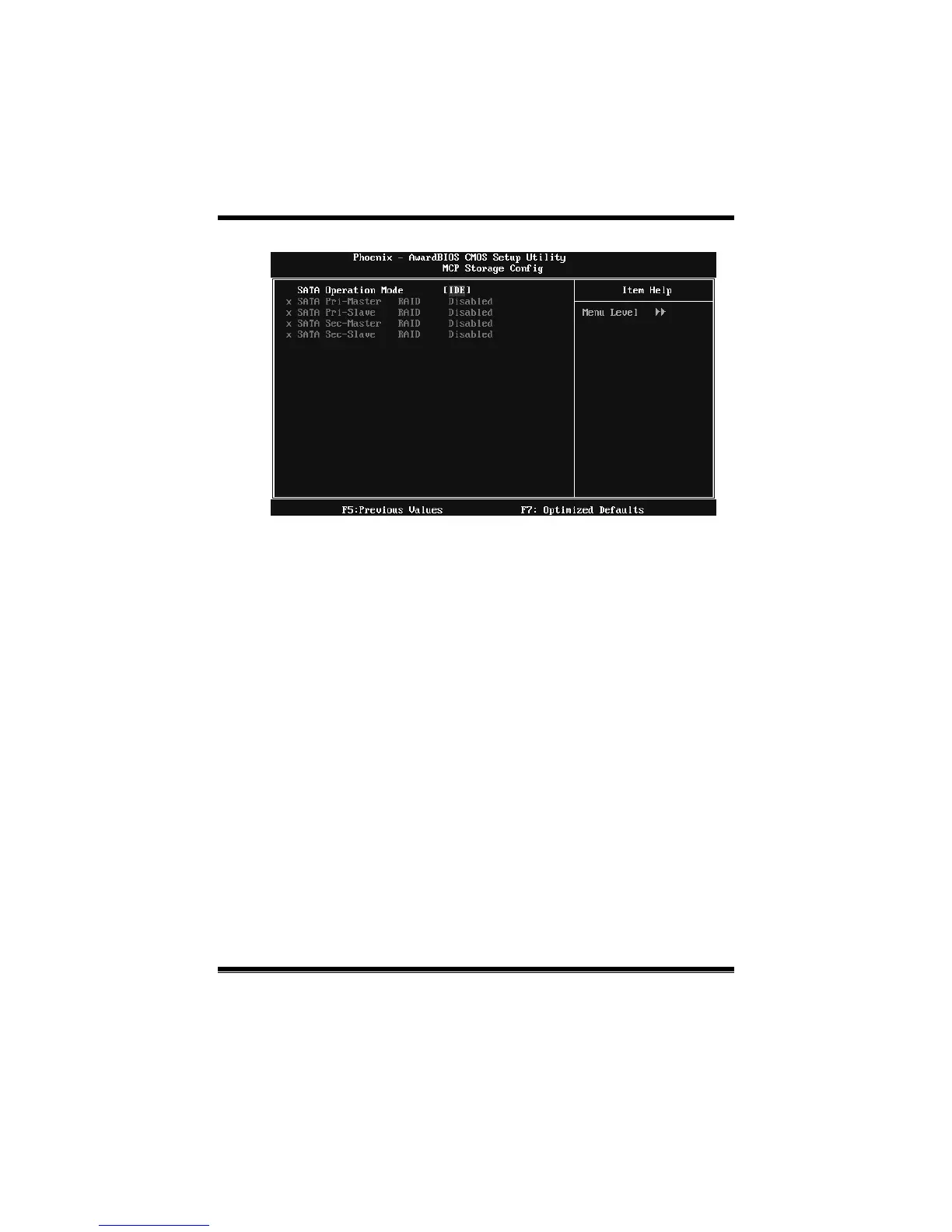
MCP Storage Config
SATA Operation Mode
This option allows you to choose SATA function.
The Choices: IDE (default), RAID, AHCI.
SATA Pr i-/Sec- Master /Slave RAID
This option allows you to enable or disable SATA Primary/Secondary RAID.
The Choices: Disabled (default), Enabled.
On-chip IDE Channel 0
The motherboard chipset contains a PCI IDE interface with support for two
IDE channels. Select “Enabled” to activate the first and/or second IDE interface.
Select “Disabled” to deactivate an interface if you are going to install a primary
and/or secondary add-in IDE interface.
The Choices: Enabled (default), Disabled.
Primary Master/Slave PIO
The IDE PIO (Programmed Input / Output) fields let you set a PIO mode (0-4)
for each of the IDE devices that the onboard IDE interface supports. Modes 0
to 4 will increase performance progressive ly. In Auto mode, the system
automatically determines the best mode for each device.
The Choices: Auto (default), Mode0, Mode1, Mode2, Mode3, Mode4.







 To Next Page