TForce 550
33
5.3 T-POWER WINDOWS FEATURE
A.Hardware Monitor:
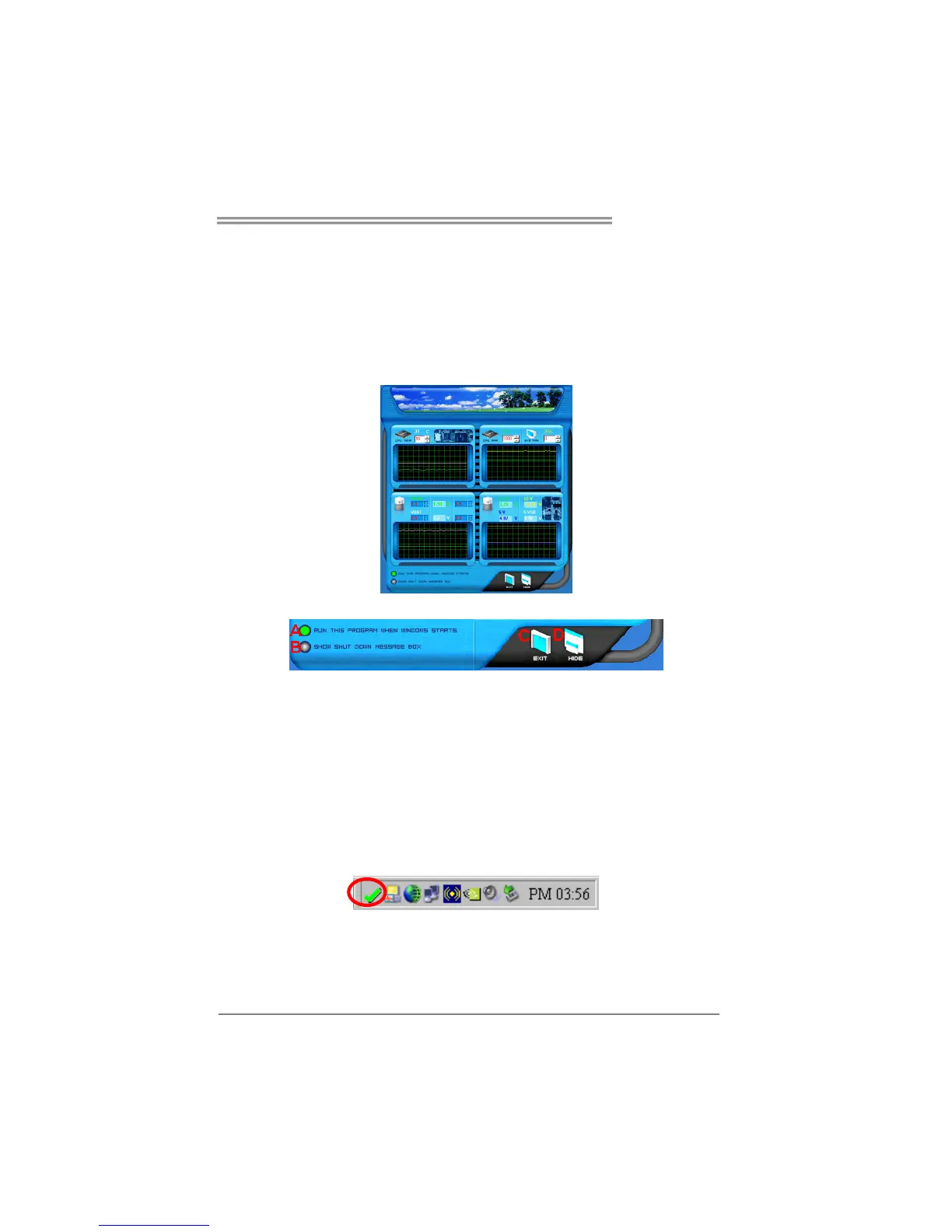
T-Power Hardware monitor allows users to monitor system voltage,
temperature and fan speed accordingly.
Additionally, a rescue action will be taken by the program automatically
while the system faces an abnormal condition. The program will trigger an
alarm or shut down the system when unpredictable errors occur.
All the monitoring items are illustrated by a waveform diagram.
Hardware Monitor Toolbar
i. Start-up Setting
Click on this item to run Hardware Monitor Program when the Windows
starts-up.
ii. Dialogue-Box Setting
Click on this item to pop-up warning dialogue-box when PC system is
abnormal.
iii. Exit
Click on this item to exit Hardware Monitor Program.
iv. Hide
Click on this item to hide this program in system tray. When hiding the
program, there will be a check icon in the system tray.



 To Next Page