TForce 550
41
D. Live Update
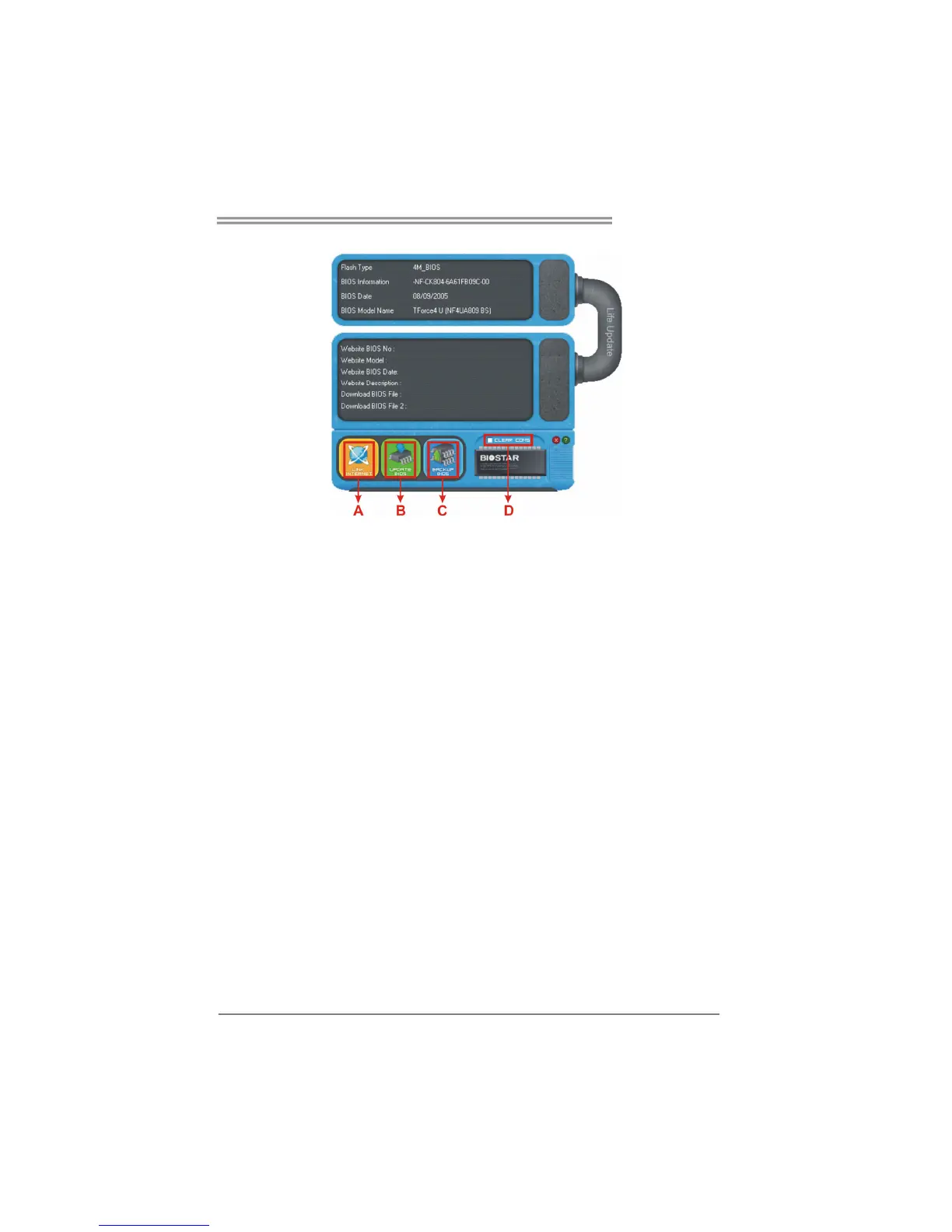
When Live Update program is activated, a screen will pop up to illustrate
BIOS related information.
i. Link to Internet:
Click on this button will link to Biostar website and BIOS file will
be downloaded.
ii. Update BIOS:
Click on this button to run BIOS flashing process, and it’s easy
and safe.
iii. Backup BIOS:
Click on this button, and BIOS file will be saved into the
user-selected folder.
iv. Clear CMOS:
Click on this item will clear the CMOS Data. When carrying this
job, the previous CMOS data would be cleared and returned to
default setting.



 To Next Page