Motherboard Manual
40
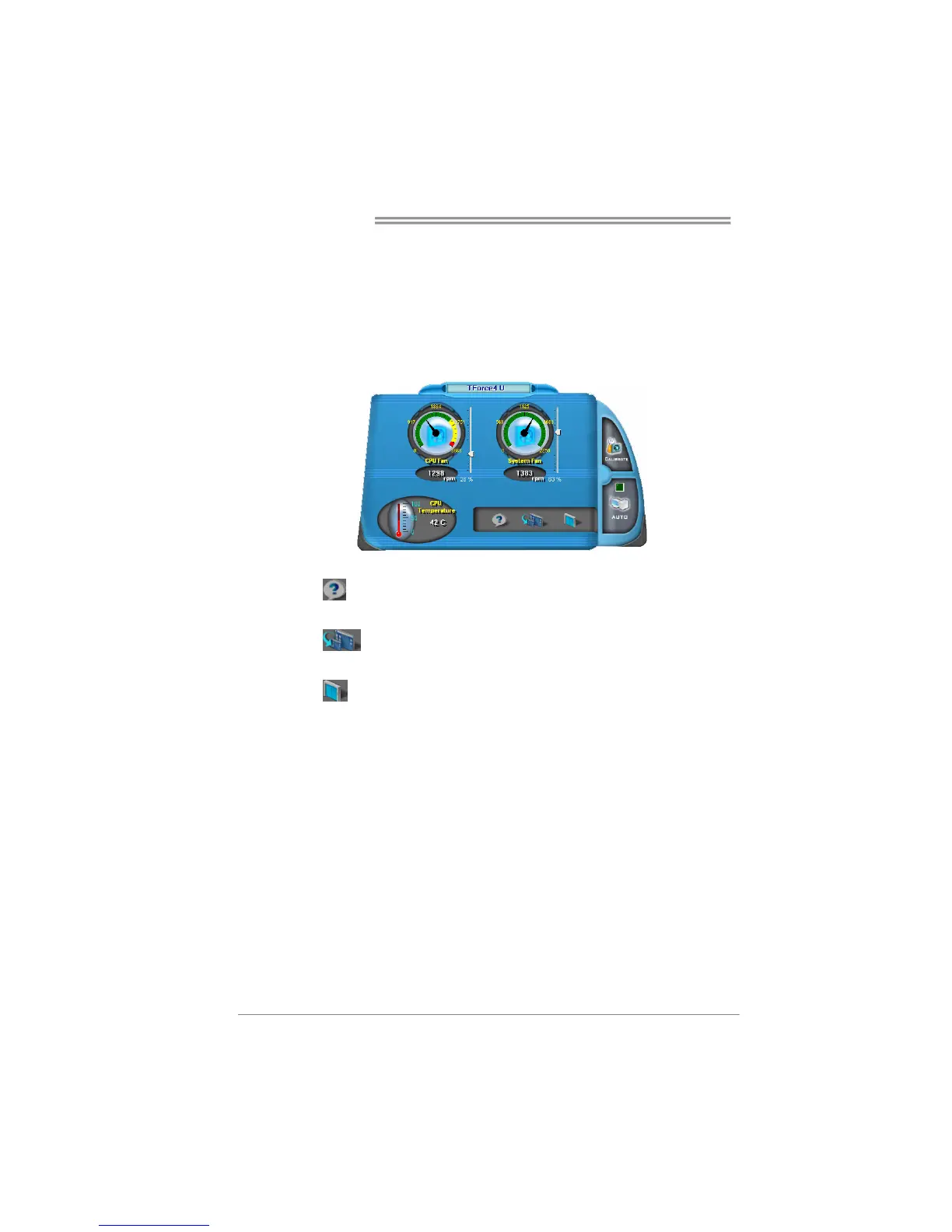
v. Auto:
If the green indicator is lit up, the Smart Fan Function is “On”
(Default Setting).
Click on this button again to close Smart Fan Function, and a
screen as below would pop-up.
There will be pulling-meter besides the CPU Fan and System Fan,
the CPU Fan and the System Fan speed can be adjusted by
adjusting the Cursor Up or Down.
vi. Program Tool Bar:
z About:
Click on this button to get program-related information.
z
Minimize:
Click on this button to minimize the program to system tray
z
Exit:
Click on this button to exit this program.



 To Next Page