TForce 550
39
C. Smart Fan Function
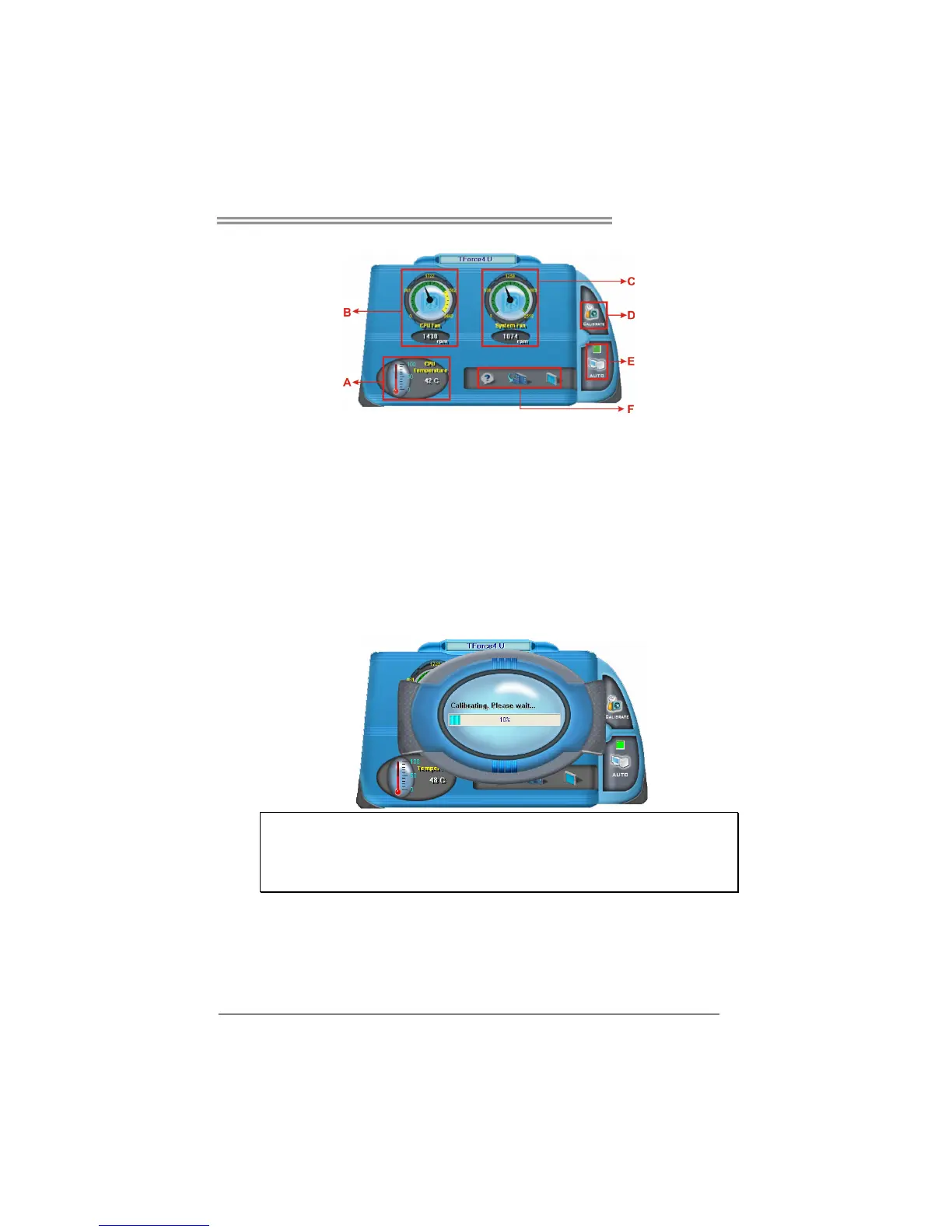
When Smart Fan Function is activated, screens will pop-up to illustrate
the fan speed information.
i. CPU Temperature:
Show current CPU temperature.
ii. CPU Fan speed:
Show current CPU Fan speed.
iii. System Fan speed:
Show current system Fan speed.
iv. Calibrate:
When changing CPU Fan or System Fan, click on this button to
re-calibrate the Fan speed.
Note:
1. When Smart Fan Function activates for the first time, this calibrate function would
auto-run to get upper and lower limitation of CPU Fan and System Fan.
2. When calibrating process is done, the calibrating window will auto-close, and the
main screen will show new fan speed data.



 To Next Page