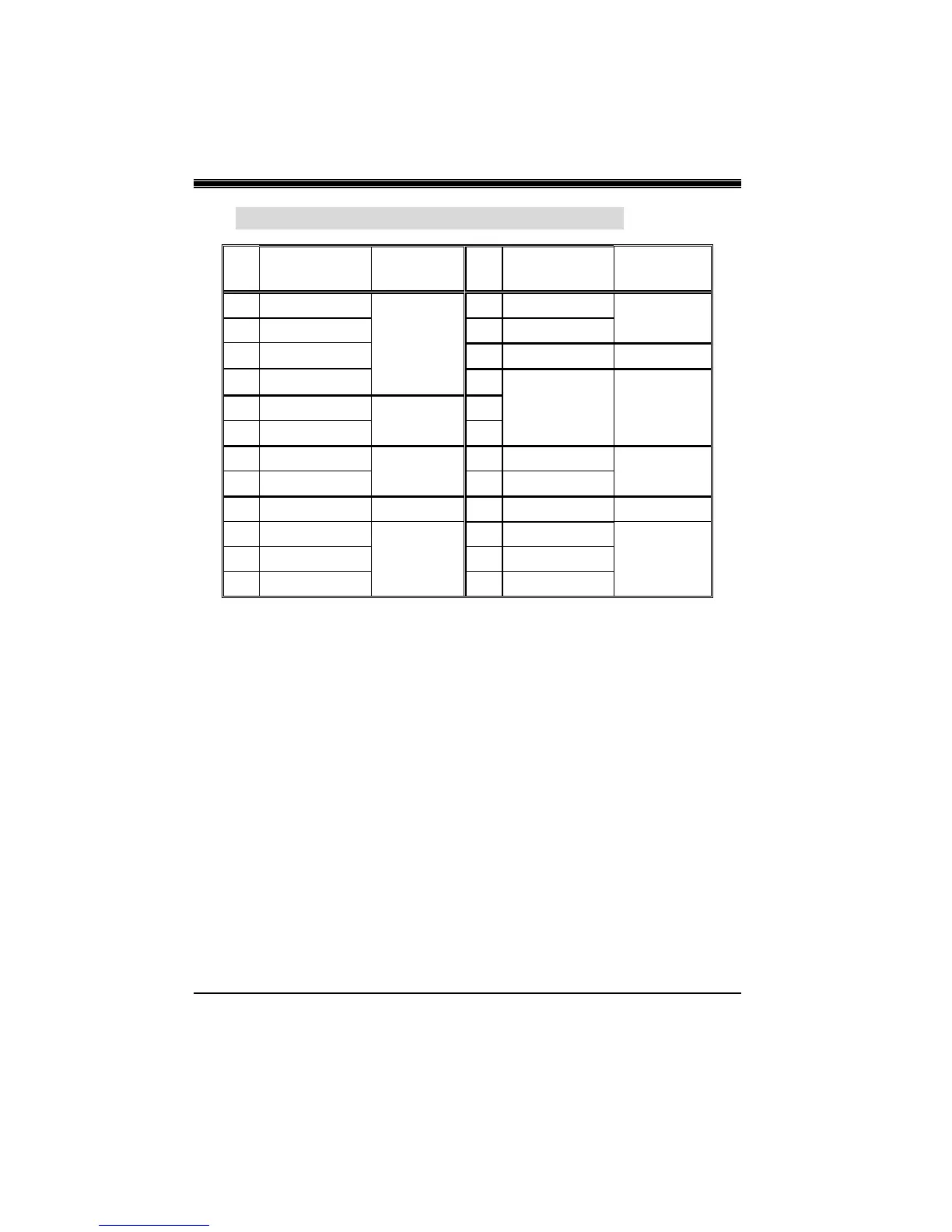
4-2. Front Panel Connector: JPANEL1
Pin Assignment Function Pin Assignment Function
No.
No.
1
5V
2
Sleep Control Sleep
3
NA Speaker
4
Ground Button
5
NA Connector
6
NA
NA
7
Speaker
8
Power LED (+)
9
HDD LED (+) Hard Drive
10
Power LED (+) POWER
11
HDD LED (-) LED
12
Power LED (-) LED
13
Ground Reset
14
Power Button Power-on
15
Reset Control Button
16
Ground Button
17
NA
18
KEY
19
NA IrDA
20
KEY IrDA
21
5V Connector
22
Ground Connector
23
IRTX
24
IRRX
SPK (Speaker Connector)
An offboard speaker can be installed on the motherboard as a
manufacturing option. An offboard speaker can be connected to the
motherboard at the front panel connector. The speaker (onboard or
offboard) provides error beep code information during the Power On
Self-Test when the computer cannot use the video interface. The
speaker is not connected to the audio subsystem and does not receive
output from the audio subsystem.
RST (Reset Button)
This connector can be attached to a momentary SPST switch. This
switch is usually open and when closed will cause the motherboard to
reset and run the POST (Power On Self Test).


 To Next Page