411829-L, Operation April 2012 Page 4-14
4
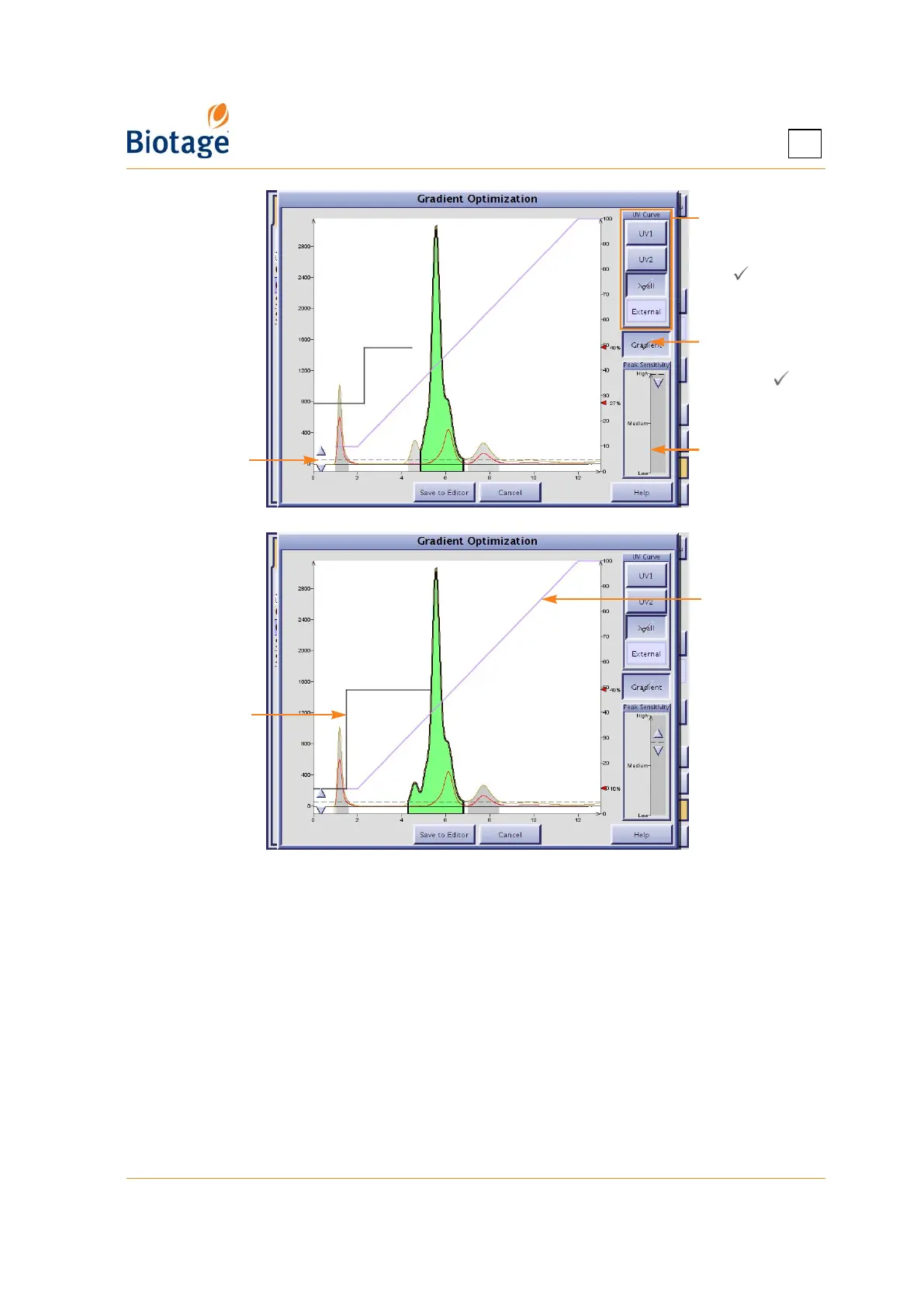
Figure 4-9. Gradient Optimization Dialog
4. To show the actual peaks, adjust the peak sensitivity and/or the threshold using the sliders (see
Figure 4-9).
5. Select/press the peak that you want to collect. The suggested step gradient is displayed.
6. When you are pleased with the result, press Save to Editor. The method is opened at the
Method tab and can be edited and/or saved.
4.4.5 Create a Method Using a Web Browser
See “Access the Isolera Remote Viewer” on page 4-35.
Select the curve
to base the
optimization
on ( )
Press to toggle
between
showing ( )
and hiding the
original gradient
Use this slider
to adjust the
peak sensitivity
Original
gradient
Optimized step
gradient
Use this slider
to adjust the
threshold



 To Next Page