18 | Chapter 2: Installation
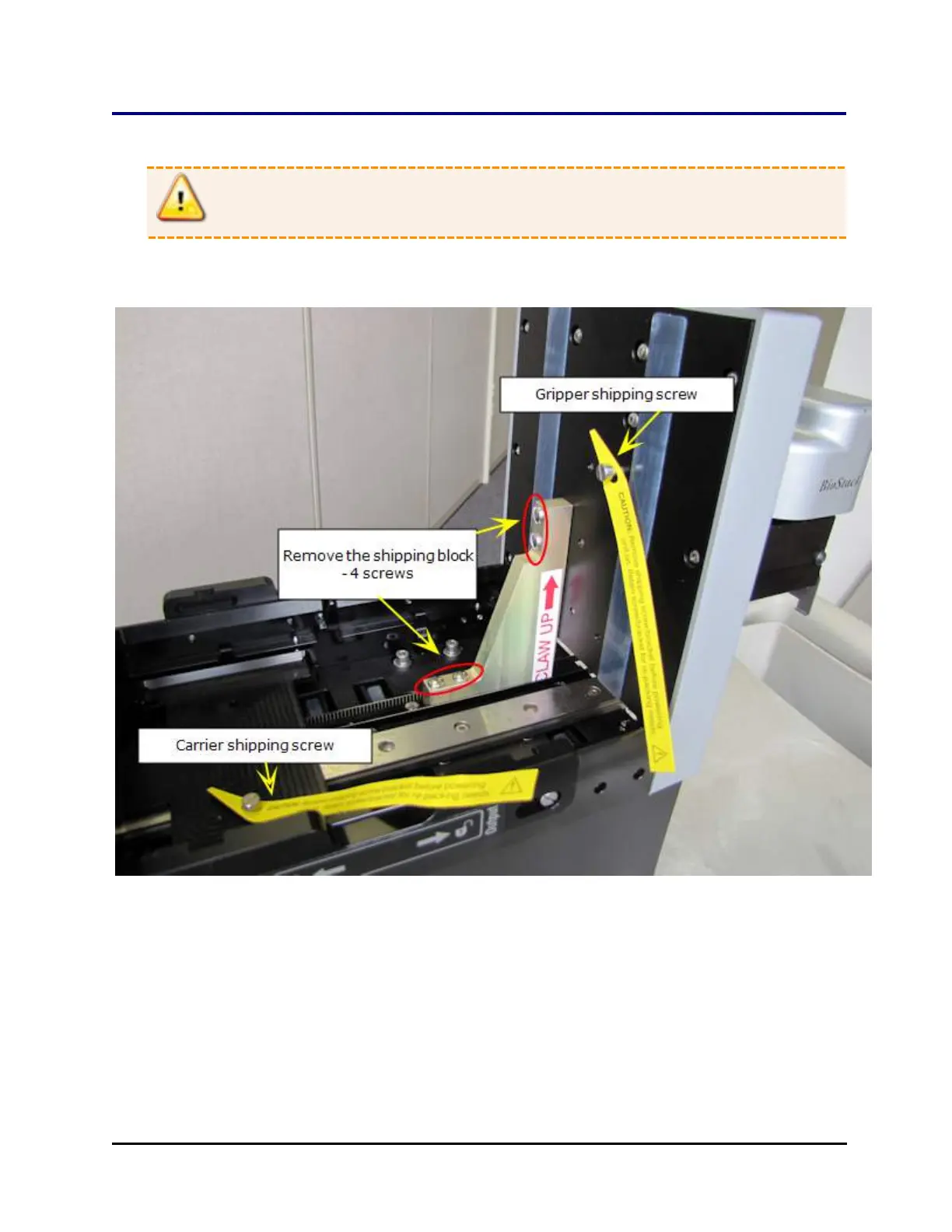
Remove the Shipping Hardware—BIOSTACK2WR
Warning: Remove the shipping hardware before turning on the BioStack.
Tools: You need a standard screwdriver, a small Phillips-head screwdriver, and
3/32" hex wrench.
Shipping hardware in the BioStack's interior (BIOSTACK2WR)
1. Locate and remove the shipping block and four mounting screws inside the
BioStack.
2. Remove the carrier shipping screw.
3. Remove the gripper shipping screw.
BioStack™ Microplate Stacker



 To Next Page